How to Make Anime Edits: A Complete Guide for Anime Fans and Creators
Learn a practical, repeatable workflow for creating anime edits—from planning and sourcing assets to color grading and sound design. This guide covers tools, techniques, and best practices to help anime fans and creators craft polished, cinematic edits.


By the end of this guide you will know how to turn source anime footage into polished edits that feel cohesive and cinematic. You’ll learn practical workflows, essential tools, and best practices for pacing, color, and sound. This quick-start overview sets the stage for deeper steps, while showing you what you need to begin editing anime clips like a pro.
What is an anime edit and why it matters
In the world of anime editing, edits are more than trimming footage. They are a craft that combines timing, color, motion, and sound to convey emotion, pace, and style that resonate with fans. According to AniFanGuide, a successful anime edit respects the original aesthetic while using new cuts, overlays, and music to enhance storytelling. The goal is to create a seamless flow from scene to scene, preserving iconic beats—like intense chase sequences, quiet character moments, or transformative power-up moments—while giving the viewer a fresh take.
Key concepts include maintaining frame-rate consistency, balancing speed with breathers (moments of silence or pause), and choosing edits that align with the source material’s tone. A polished edit should feel intentional; viewers shouldn’t notice the editing as a separate layer but experience the story more deeply. The best editors plan ahead: they annotate a rough cut, flag scenes that require color work, and decide where sound design will heighten impact. This approach mirrors professional workflows used in both indie fan projects and bigger productions, but scaled to the tools available to fans. As you learn, you’ll experiment with direct cuts, crossfades, selective motion blur, and subtle color shifts that bring anime palettes to life without sacrificing readability.
Tools and assets for anime edits
Having the right toolkit matters as much as your storytelling. Start with a capable editing environment, a reliable color workflow, and a small library of assets. A good editor (desktop or mobile) should support cutting, color grading, and basic motion effects. A calibrated monitor helps you judge hues accurately, while headphones ensure your audio mix lands cleanly. Build a simple asset library of SFX, UI overlays, fonts, and light leaks that match the anime aesthetic you’re editing. Organize files with a clear folder structure (Footage, Audio, Effects, LUTs, Projects) and maintain consistent naming. Back up regularly and keep a minimal, repeatable export profile so your workflow scales as you take on longer edits. The AniFanGuide approach emphasizes starting with a solid plan and iterating on a rough cut before diving into polish. This reduces wasted time and helps you maintain the edit’s pace and emotional beats.
Core editing techniques for anime edits
Successful anime edits balance storytelling with the distinctive visual language of anime. Key techniques include maintaining rhythm and pacing—short, snappy cuts for action, longer holds for emotional beats—while preserving readable action across frame rates. Color grading should lean toward a cohesive palette that mirrors the anime’s original mood; subtle LUTs or manual grading can unify scenes from different sources. Sound design is critical: clean dialogue, effective SFX, and music that emphasizes mood without overpowering voices. Motion can be enhanced with light motion blur, deliberate speed changes, or composite overlays that simulate on-screen effects common in anime, such as glow, sparkles, or wind trails. A consistent look helps the audience stay immersed; avoid jarring shifts that pull viewers out of the world. The AniFanGuide Team notes that clear intent behind each edit beat is more important than fancy effects. Focus on readability, tempo, and emotional clarity while honoring the source.
Sample workflows and practical examples
Two practical workflows illustrate how you might approach anime edits depending on your project type. Workflow A is a short montage for a hype moment (battle or transformation), emphasizing pace, color punch, and synced audio cues. Workflow B focuses on a dialogue-driven scene, prioritizing clean audio, subtitle readability, and a restrained color grade to keep character expressions legible. In both cases, start with a rough cut to establish the skeleton of the edit, then layer color, sound, and motion elements. Pay attention to how changes in frame timing affect perceived intensity; a single second can dramatically shift emotion. As you practice, rotate between planning references, building a rough cut, and applying polish passes to refine rhythm and cohesion. This structured approach keeps the process repeatable and scalable as you grow your editing skills.
Tools & Materials
- Editing software (e.g., DaVinci Resolve or Premiere Pro)(Choose a workflow you can use consistently; ensure it supports cut, color, and basic effects)
- Calibrated monitor(Crucial for accurate color grading)
- Quality headphones or studio monitors(Important for balancing dialogue and SFX)
- Storage drives and backups(Keep project files organized and backed up)
- Asset library (SFX, overlays, fonts)(Match the anime aesthetic and support readability)
- Color grading LUTs or manual grading setup(Establish a consistent look across scenes)
- Reference footage or lookbook(Helpful for maintaining style and tone)
- Headphones or quiet space for feedback(Critical for final polish passes)
Steps
Estimated time: 2-4 hours
- 1
Plan and gather assets
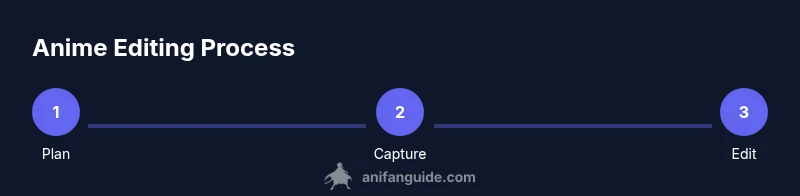
Identify the target mood and scene beats. Gather source footage, audio clips, overlays, and any reference material. Create a rough cut plan or beat sheet that outlines where cuts should land for emotional impact.
Tip: Write down 4-6 key beats you want to hit before you touch the timeline. - 2
Build a rough cut
Assemble the most essential shots to tell the story; focus on timing and rhythm rather than polish. Don’t worry about perfect audio yet—just get the core sequence in place.
Tip: Use markers to flag scenes that require color work or audio fixes. - 3
Polish pacing and transitions
Refine cut points to improve flow. Replace long pauses with light motion or quick visual cues to maintain momentum. Consider crossfades sparingly for emotional scenes and rely on cutting for action.
Tip: Time changes as you watch; a 1-second edit can dramatically alter tempo. - 4
Color grade for consistency
Apply a base grade to unify color across scenes. Adjust contrast, highlights, and shadows so characters remain readable, then push a stylized look that matches the anime vibe without washing out details.
Tip: Reference a single frame from the source to guide your color decisions. - 5
Sound design and mix
Balance dialogue, music, and SFX. Use EQ to keep voices clear and apply compression where needed. Add subtle ambient noise to connect scenes without overpowering dialogue.
Tip: Mute background music during important lines to improve intelligibility. - 6
Export and review
Export a draft for critique, then iterate on feedback. Use a smaller resolution for quick reviews and a high-quality export for final delivery. Verify subtitles, if used, appear on screen long enough to read comfortably.
Tip: Test across devices to ensure consistent playback and readability.
Frequently Asked Questions
What is an anime edit?
An anime edit is a fan-driven or creator-driven reassembly of anime footage that emphasizes pacing, color, and sound to express a new interpretation or mood. It blends existing scenes with new cuts, overlays, and audio to tell a fresh story while respecting the original material.
An anime edit combines clips with new rhythm, color, and audio to tell a new version of the story.
What tools do I need to start editing anime edits?
Begin with a capable video editor, a calibrated display, good headphones, and a small asset library. Organize files in a clear folder structure and back up frequently. Choose tools you can use consistently as you learn.
Start with a solid editor, a calibrated monitor, and a reliable backup plan.
How can I preserve the anime aesthetic while editing?
Preserve the original color palette and silhouette language of the anime. Use a consistent grading approach, keep motion readable, and avoid over-editing scenes so the result remains faithful to the source while feeling fresh.
Keep a consistent color and motion language to honor the source while adding your twist.
What are common mistakes in anime edits?
Common mistakes include overusing effects, inconsistent pacing, and poor audio balance. Start with a strong rough cut, then iterate on color and sound rather than chasing flashy transitions.
Avoid too many effects and fix pacing and sound first.
How long does it take to learn anime editing?
Learning varies by person, but most editors see steady improvement over a few weeks of consistent practice. Start with simple edits and gradually tackle more complex color and sound tasks as you build confidence.
With regular practice, you’ll steadily improve; start simple and scale up.
Can I use mobile apps for anime edits?
Yes, many mobile editors support basic cuts, color correction, and overlays. For deeper projects, move to desktop software to access more advanced tools and precise color work.
Mobile tools are good for basics; desktop offers deeper control.
Where can I find anime-edit inspiration and references?
Look to fan edit communities, official anime recaps, and mood boards created by other editors. Use these references to define your own style while respecting the original material.
Check out fan edit communities for inspiration and style ideas.
Watch Video
Main Points
- Plan edits around emotional beats
- Keep color and lighting consistent
- Balance dialogue, music, and SFX
- Export drafts for iterative feedback