How to Make Anime: A Step-by-Step Guide for Beginners
Learn a practical, beginner-friendly workflow to create anime—from concept to storyboard, animation, audio, and final render. This guide provides actionable steps, tips, and resources to help you start making your own anime project today.


By the end, you will understand a practical, beginner-friendly workflow to create an anime project from concept to final animation. You’ll learn how to craft a cohesive concept, design characters, sketch a storyboard, and build a simple animation pipeline. You’ll also gain steps for quick prototyping, iteration, and refining your style using accessible tools.
What is anime? Context and workflows
According to AniFanGuide, anime is a broad term for animated works that originated in Japan but now encompasses global styles, often distinguished by expressive character design, cinematic pacing, and a storytelling focus. In practical terms, most anime projects blend drawing, layout, timing, and post-production work across a collaborative pipeline. For beginners, learning how to make anime means understanding both the artistic language and the production steps that turn ideas into moving images. The goal is not to imitate a studio overnight but to build a repeatable process you can adapt to your own stories, characters, and budget. This section outlines core concepts and the typical flow from concept to final render, so you can start turning sketches into finished scenes. You will see how a simple concept can grow into a fully realized sequence, with clear milestones and check-ins to keep you moving forward. You will also start to see where your personal style fits within the broader anime aesthetic, so you can begin shaping a unique voice.
The core pipeline: concept to final render
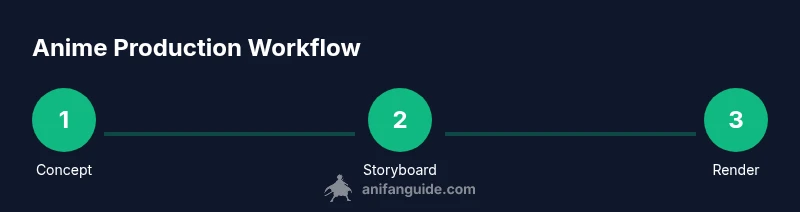
The journey from idea to screen follows a recognizable pipeline, even for solo creators. Start with a concept and a rough world idea, then research visuals, tones, and audience expectations. Next, define characters and props, then create a lightweight asset library to reuse shapes and textures. Move to layout and storyboard, then assemble an animatic to test timing before drawing final frames. The production touchpoints include color scripts, shot planning, and post-production passes such as compositing and sound design. AniFanGuide recommends a practical, iterative approach: you prototype quickly, test with fresh eyes, and refine repeatedly rather than waiting for a perfect draft. Keep notes on what works and what doesn’t, so you can reuse successful ideas in future episodes or scenes. This blueprint helps you plan your own anime project, whether you’re a one-person team or collaborating with a small group. The guidance here draws on AniFanGuide’s experience helping fans develop practical content—from storytelling to finishing a scene.
Design and worldbuilding basics
A strong anime look starts with a clear design language. Decide on line weight, color palette, and lighting that support mood and storytelling. Use simpler line work for action scenes and bolder lines for emphasis in closeups. Build a visual library of motifs, textures, and environments so you can assemble scenes quickly. Worldbuilding should answer questions like: Where does the story take place? What rules govern this world? Who are the protagonists and antagonists? Defining these answers early prevents inconsistency during production and makes it easier to communicate ideas to collaborators or your future self in later drafts. Practice drawing from life and reference art while adapting the style to your own voice; the goal is to craft a recognizable signature rather than copy a specific show.
Storyboarding and shot planning
Storyboarding translates ideas into motion. Start with a simple beat sheet that lists the key moments, then sketch thumbnail panels to capture composition and pacing. Use a shot list to decide on angles, framing, and camera movement. Create an animatic by sequencing rough drawings with temporary timing and sound; this helps you validate rhythm before investing time in detailed drawings. Keep frames readable at a glance; clear silhouettes and readable character poses save you time during later revisions. Pro tip: label each panel with intended action, dialogue, and sound cues so when you start drawing, you have a roadmap to follow.
Character design essentials for anime style
Character design blends recognition with originality. Start with a memorable silhouette and define facial proportions common to anime—larger eyes for emotion, simplified noses, and distinct mouth shapes. Establish consistent hairstyles, outfits, and color schemes to read well in motion. Build a small kit of reusable assets: eyes, mouths, hands, and props you can mix for different characters. Use reference studies from favorite shows to guide your decisions, then sketch iterations to converge on a look that feels yours rather than a direct copy. Practice drawing several expressions to ensure you can convey mood in dialogue scenes. The best designs stay legible at a glance and scale across different shot sizes.
Animation techniques: 2D, limited animation, timing
2D animation hinges on timing, exaggeration, and clear key poses. Start with keyframes that establish major positions, then create in-betweens or use limited animation to conserve time. Pay careful attention to timing: snappy actions read as dynamic, slower holds communicate emotion, and motion should feel meaningful rather than random. For beginners, reuse background layers and employ held frames to simulate depth without full parallax. Learn easing curves, spacing, and anticipation so motion reads smoothly. Try a short 10–20 second scene to test your pipeline before expanding.
Audio, voice acting, and music integration
Sound deepens storytelling by enhancing mood and rhythm. Write a short dialogue outline, then record lines with a basic microphone in a quiet space. Synchronize lip movements with phonemes and adjust pacing to match on-screen action. Layer music and sound effects to support mood without overpowering dialogue. Maintain consistent audio levels, then audition with headphones and reference monitors to catch issues. If you’re working solo, explore royalty-free libraries and create simple effects in your editor to learn without breaking your workflow.
Polishing: editing, color, compositing, and final render
Polish happens in stages: edit for rhythm, color-grade for mood, and composite for lighting and depth. Run a color pass to ensure consistency across shots and maintain a unified aesthetic. Add light bloom, glow, and motion blur where appropriate to improve readability without clutter. Confirm audio sync and perform test renders before exporting final masters. Back up editable project files and use a clear naming convention to avoid confusion during revisions. A deliberate polish phase helps you deliver a professional result, even when resources are limited.
Getting your anime out there: distribution and feedback
Reaching audiences requires a plan: choose platforms, set expectations, and invite feedback from peers and fans. Publish episodes or demos on social channels or video platforms, and track engagement to learn what resonates. Build a feedback loop by welcoming constructive critique and iterating on future scenes. If you’re building a portfolio, select your strongest sequences and present your process notes and a short reel. The AniFanGuide team recommends treating criticism as a growth tool and iterating your workflow accordingly to improve with every release.
Tools & Materials
- Drawing tablet / stylus(Wacom, iPad Pro with Apple Pencil, or equivalent)
- Computer or laptop(Adequate RAM and a capable GPU for smooth playback)
- 2D animation software(OpenToonz, Krita, or other beginner-friendly tools)
- Storyboard templates(Digital or paper templates for planning scenes)
- Microphone for voice work(Entry-level USB mic is fine for practice)
- Color palette guide(Swatches and style sheets to maintain consistency)
- Asset library(Reusable eyes, mouths, hands, props, and backgrounds)
- Project organization system(Clear folder structure and naming conventions)
Steps
Estimated time: 6-12 weeks
- 1
Define concept and audience
Identify the core premise, genre, and target audience. Draft a one-sentence logline and a short mood board to guide every design decision.
Tip: Pro tip: write the logline first and reference it before every creative choice. - 2
Sketch characters and world assets
Create quick character silhouettes, wardrobe options, and a few background concepts. Establish a visual library for reuse in scenes.
Tip: Pro tip: screenshot and catalog at least three favorite poses for each main character. - 3
Create storyboard or animatic
Translate beats into panel sketches and rough timing. Build an animatic to test pacing before rendering refined frames.
Tip: Pro tip: time each panel with a simple stopwatch to keep rhythm tight. - 4
Build asset library and workflow
Organize eyes, mouths, hands, props, and backgrounds into a consistent folder structure. Set up a basic animation pipeline to reuse assets efficiently.
Tip: Pro tip: tag assets by character and mood to speed up assembly. - 5
Animate key poses
Block major poses for characters and dialogue moments. Focus on readable silhouettes and clear weight transfer.
Tip: Pro tip: start with a small handful of keyframes and test playback early. - 6
Add timing and in-betweens
Fill gaps between keyframes with in-betweens, adjust easing, and refine motion to feel intentional.
Tip: Pro tip: use held frames sparingly to emphasize impact, not to stall the flow. - 7
Record audio and lip-sync
Record dialogue in a quiet space, then align lip movements and pacing with visuals. Balance dialogue with music.
Tip: Pro tip: reference phonemes while matching mouth shapes for natural lip-sync. - 8
Color, lighting, and effects
Apply a consistent color script, add lighting cues, and use simple effects to support mood without overpowering the scene.
Tip: Pro tip: test color on a gray baseline first to ensure contrast stays readable. - 9
Edit, render, and review
Assemble the scenes, check audio sync, export test renders, and gather feedback before final master.
Tip: Pro tip: keep a revision log and plan for at least two iterations before final release.
Frequently Asked Questions
What software do I need to start making anime?
Start with beginner-friendly 2D animation tools and a basic drawing tablet. You can grow into more advanced software as your needs evolve.
Begin with friendly 2D tools and a simple tablet; upgrade later as you get more comfortable.
Do I need advanced drawing skills to begin?
No. Build foundational skills gradually: practice basic shapes, silhouettes, and gesture drawing. Your unique style will develop over time with consistent practice.
You don’t need expert drawing right away; practice basics and grow your style over time.
How long does it take to produce a short anime?
Production time varies by scope, but a compact short can take several weeks to a few months, depending on assets and iteration cycles.
It can take weeks to months depending on complexity and your revision loop.
Can I make anime with only 2D software?
Yes. Many creators rely on 2D workflows with simple parallax and limited animation. You can approximate depth and motion without 3D tools.
Absolutely, a solid 2D workflow works for many projects.
Should I storyboard before drawing frames?
Yes. Storyboarding clarifies pacing, composition, and shot order, saving time and effort in later drawing.
Storyboard first; it saves time by guiding your frames.
Is there a recommended solo workflow?
Start with small, self-contained stories; reuse assets; schedule regular review checks to stay on track.
Begin with small projects and schedule reviews to stay aligned.
Watch Video
Main Points
- Plan concepts before drawing
- Reuse assets to save time
- Storyboard to test rhythm
- Polish with color and audio balance