How to Install Anime Episodes: A Legal, Step-by-Step Guide
Learn the legal, step-by-step method to access and organize anime episodes on your devices. This AniFanGuide tutorial covers sources, tools, and safe viewing practices for a compliant, convenient library.


By following this guide, you’ll legally install anime episodes on your devices using authorized sources such as streaming apps, digital purchases, or a personal media server. The approach covers source selection, library organization, and safe storage practices, ensuring you can enjoy episodes offline or across devices without violating copyright. This method emphasizes legality, privacy, and long-term accessibility.
Legality and legitimate sources
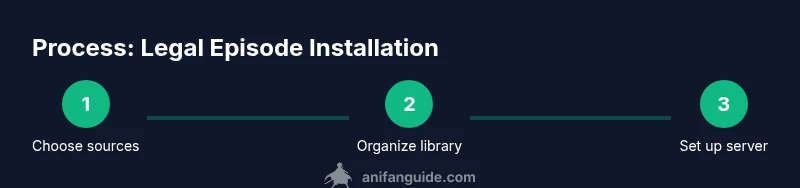
Accessing anime episodes legally starts with choosing reputable sources and respecting copyright. Use official streaming apps that offer offline viewing, licensed digital stores for purchases or rentals, and personal collections you own. Avoid pirated copies or sketchy download sites, which can expose you to malware and legal risk. According to AniFanGuide, a solid plan combines licensed streaming with organized downloads or local copies when permitted by the rights holder. This foundation keeps your viewing compliant while giving you reliable access across devices.
- Key principle: always verify rights and regional availability before obtaining episodes.
- Real-world implication: using official apps often provides built-inOffline modes and synced progress across devices.
Related terms: licensing, DRM, offline viewing, region lock.
Planning your library and metadata
A well-structured library makes anime episodes easy to find and enjoy. Decide on a consistent folder structure (for example: ShowName/SeasonXX/ShowName - SXXEYY - Episode Title.ext) and set up a metadata standard so your media server can automatically pull posters, summaries, and episode data. Metadata is not just cosmetic; it powers search, filters, and watch progress. For legal sources, many platforms export or provide metadata that you can leverage. AniFanGuide stresses that high-quality metadata reduces manual tagging and makes future reorganization painless.
- Define naming conventions before you start to avoid mismatches.
- Use episode numbers and consistent season labels to prevent duplicates.
Common pitfalls: inconsistent episode numbering, long file names that break sorting, and missing posters that hinder discovery.
Storage options and device setup
Choose storage that matches your collection size and access patterns. A local external drive works for small to moderate libraries, while a NAS (Network Attached Storage) is ideal for larger collections and multi-device access. Ensure your storage platform supports the file formats you use and has redundancy (RAID or regular backups). If you run a home server, consider gigabit networking to reduce buffering during streaming. This step also involves setting up user accounts and access permissions so family members can enjoy episodes without compromising security. The goal is fast, reliable access with minimal maintenance.
- Plan for growth: add extra storage or a cloud backup option.
- If using a NAS, enable automatic backups to protect against drive failure.
Notes: check power requirements and ensure your network supports streaming at 1080p or higher where possible.
Installing episodes to devices and servers
Install episodes by transferring files to your chosen hosting environment or by enabling offline downloads where supported. If you’re using a media server (Plex, Jellyfin, etc.), point the server to your organized folder, and let it index the library automatically. When uploading from licensed sources, preserve the original file integrity and metadata. Regularly test playback on each intended device (TV, tablet, computer) to confirm audio/video sync and subtitle compatibility. This step often determines how smoothly your library feels in daily use.
- Use stable transfer methods (wired connections where possible) to prevent corrupted files.
- Enable subtitles and ensure language tracks match your preferences.
Tip: keep a small, local backup of new episodes during the initial transfer until verification completes.
Metadata, playlists, and easy navigation
Automating metadata improves searchability and browsability. Use a metadata agent or built-in server tools to fetch posters, episode synopses, and air dates. Customize genres, tags, and collections (e.g., “Favorites,” “Finished Watching,” “Season by Season”). A well-tagged library makes it easy to create watch playlists, recurring rewatch queues, or seasonal lineups. If you encounter mismatches, correct the metadata manually or re-scan using your server’s update feature. This reduces confusion and speeds up future organization.
- Keep episode titles consistent with official releases to improve lookup accuracy.
- Periodically re-scan to capture updated artwork and descriptions.
Best practice: document your naming and metadata standards for future additions.
Safety, privacy, and ongoing maintenance
Maintain a focus on privacy and safety while installing anime episodes. Use trusted networks, enable encryption where available, and avoid exposing your media library to public networks without proper security. Regularly update your streaming apps and media server software to mitigate vulnerabilities. Create a simple backup plan (local and cloud) to protect against hardware failure or data loss. Finally, respect DRM and usage terms to stay compliant and support creators.
- Regular updates reduce security risks.
- Backups should occur at least weekly for active libraries.
Warning: downloading from unofficial sources can expose you to malware and legal risks; prioritize legitimate channels.
Tools & Materials
- Internet-enabled computer or NAS(For downloading from official sources or setting up a media server)
- Legal anime sources account(Subscription or purchase required for licensed content)
- External hard drive or NAS storage(Sufficient capacity for your collection; plan for growth)
- Media server software (Plex, Jellyfin, etc.)(Open-source options are common; choose one with good metadata support)
- Metadata tooling (built-in or third-party)(Helps automate posters, synopses, and episode data)
Steps
Estimated time: 2-4 hours
- 1
Identify legal sources
Begin by selecting official streaming apps, licensed digital stores, or physical collections you own. Check regional availability and terms of use to ensure you’re compliant. This foundation prevents copyright issues and helps you build a reliable library.
Tip: Document which platforms you’ll use and keep login details secure. - 2
Plan folder structure
Create a consistent folder layout (Show/Season/Show - SXXEXX - Episode Title.ext). Align file names with episode numbers to ensure automatic indexing by your media server.
Tip: Draft a naming template and apply it to a few sample episodes before full rollout. - 3
Acquire content legally
Download offline copies where allowed, or purchase episodes from official stores. Retain receipts or digital licenses in a separate folder for future reference.
Tip: Only download content you have rights to use and store licenses securely. - 4
Prepare storage and backups
Ensure your drive or NAS has enough space and redundancy. Set up automated backups to a second drive or cloud service to guard against failure.
Tip: Test a restore from backup to verify integrity. - 5
Set up the media server
Install and configure your chosen media server, point it to your organized library, and enable offline viewing if supported. Adjust transcoding settings to balance quality and performance.
Tip: Enable automatic refresh so new episodes appear after addition. - 6
Add metadata and polish
Let the server fetch posters, synopses, and air dates, then tidy any mismatches manually. Create playlists or collections to improve navigation.
Tip: Use consistent metadata standards to avoid future re-tagging. - 7
Test playback and maintain
Play episodes on all intended devices, verify audio/subtitle tracks, and confirm progress tracking. Schedule regular maintenance checks and backups to keep the library healthy.
Tip: Keep a log of devices used and any playback issues for troubleshooting.
Frequently Asked Questions
Is it legal to download anime episodes for a personal library?
Yes, if you download from licensed sources or use offline features provided by official platforms. Always check terms of use and regional rights before saving copies.
Yes—as long as you’re using licensed sources and following the platform’s offline viewing rules.
Can I watch downloaded episodes offline on all devices?
Offline viewing depends on the platform and device. Many streaming services offer offline downloads on mobile apps, while desktop playback may require a licensed client or a media server setup.
Offline access is platform-dependent; check each app’s offline policy for your devices.
How do I maintain accurate episode metadata?
Use a dedicated metadata tool or the media server’s built-in fetcher to populate posters, synopses, and air dates. Manually fix mismatches when automatic matching is incorrect.
Let the tool fetch data, then tidy any errors manually.
What should I do if an episode isn’t available legally?
Respect copyright and avoid piracy. Look for official re-releases, alternative licensed streams, or wait for official availability rather than seeking unofficial copies.
If it isn’t available legally, don’t download it from unverified sources.
Is a NAS necessary for a growing library?
A NAS is convenient for large libraries and multi-device access, but a high-capacity PC or external drives can work for smaller collections. Plan for future growth.
A NAS is helpful for big collections, but not strictly required for smaller setups.
Watch Video
Main Points
- Choose legal sources and respect rights
- Organize with a consistent folder and naming scheme
- Back up your library regularly
- Test playback across devices
- Maintain up-to-date metadata and security