How Anime Animators Animate: A Practical Step-by-Step Guide
Learn the end-to-end anime animation workflow, from planning to final compositing. This AniFanGuide tutorial covers pre-production, key animation, in-betweening, coloring, and post-production with practical tips and essential tools.


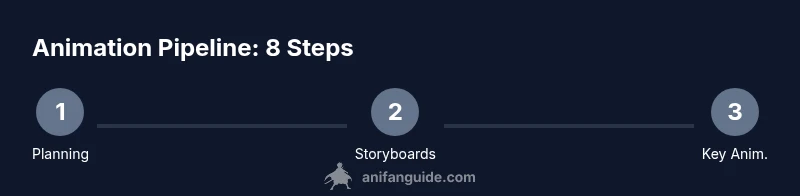
According to AniFanGuide, you’ll grasp the complete anime animation pipeline from concept to final render. This guide covers the major steps: (1) pre-production planning and storyboard, (2) key animation and in-betweening, (3) line cleaning and coloring, (4) compositing and effects, and (5) final output and review. You’ll also learn essential tools, workflow patterns, and practical tips for students and indie creators.
How do anime animators animate: overview
Understanding how the craft works starts with the big picture: anime production is a coordinated pipeline where many hands contribute to a single moving image. The core question—how do anime animators animate—unfolds through planning, then a sequence of specialized stages: layout, key animation, in-betweening, cleanup, coloring, and finally compositing and post-production. This section grounds you in the philosophy of a consistent workflow, emphasizing iteration, reference gathering, and clear handoffs between departments. As you study, you’ll notice how teams optimize timing, pose variety, and motion arcs to make scenes feel lively while staying within production constraints. The AniFanGuide team highlights that mastering the pipeline is as much about discipline as it is about drawing skill, and that a strong reference library accelerates learning.
Core Stages in the Anime Pipeline
Anime production typically follows a multi-stage workflow designed to balance artistic control with efficiency. The core stages include pre-production (planning and storyboarding), production (key animation, in-betweening, and clean-up), coloring and line work, and post-production (compositing, effects, and final output). Each stage has specific deliverables and deadlines, and every handoff must preserve the director’s vision. While studios differ in exact processes, the overarching pattern remains consistent: plan thoroughly, animate with intention, refine lines, apply color and lighting coherently, then composite into a polished final product. This section will map out the responsibilities involved and highlight common bottlenecks to avoid.
Pre-Production: Planning, Storyboarding, and Script
Pre-production sets the stage for smooth animation. This phase includes script development, mood boards, character design sheets, and most importantly, a storyboard that maps shots, timing, and key moments. Storyboards act as a visual script, guiding directors, layout artists, and animators through camera angles, character poses, and action beats. A robust storyboard reduces revision cycles later and helps align the crew on the intended pace and emotion of each scene. In practice, many teams build a reference library of poses and motion exemplars to speed up later work while maintaining consistency across episodes or scenes. The AniFanGuide approach emphasizes starting with small, repeatable sequences to validate timing before scaling.
Key Animation vs In-Between: The Art of Movement
Key animation defines the major poses and timing that describe the motion, while in-between frames fill the gaps to create smooth transitions. The distinction matters: strong key frames convey intent and dramatic weight; well-crafted in-betweens ensure fluidity without overburdening the pipeline. Animators study weight shifts, arcs, and anticipation to make movement feel natural rather than robotic. Limited animation techniques are common in anime to optimize production speed without sacrificing impact. Maintaining a clean contrast between pose and nuance is essential to preserve expressive performance across characters and scenes.
From Sketch to Final Color: Clean-Up, Coloring, and Lighting
This stage takes rough drawings into a finished appearance. Clean-up artists refine line quality, remove stray marks, and standardize character proportions. Colorists apply flat colors, then shading and highlights, building depth with lighting and atmosphere. Lighting decisions should stay coherent with the scene’s mood and the director’s palette. Keeping a centralized color key helps prevent color drift across episodes. A disciplined approach to line weight, shading, and color grading yields a consistent, studio-grade look—even for indie projects. The role of reference sheets and color scripts cannot be overstated here.
Post-Production: Compositing, Effects, and Final Output
In post-production, assets from all departments converge in compositing. Editors and effects artists layer backgrounds, characters, and digital effects such as glow, motion blur, and depth cues. Color correction ties scenes to a unified look, while final output settings ensure consistency across display formats. Sound design, music, and dialogue are integrated to complete the viewing experience. This stage requires meticulous organization: versioning, asset management, and clear naming conventions prevent costly mistakes during delivery. The collaboration between departments determines how polished the final product feels.
Tools, Teams, and Workflow Tips
A productive anime production relies on appropriate tools and clearly defined roles. Common software choices for 2D animation include Toon Boom Harmony, OpenToonz, and Clip Studio Paint for line work, while image editors like Photoshop or Krita handle coloring and edits. For 3D integration or camera work, Blender or Maya may be used. Teams typically include directors, layout artists, key animators, in-betweeners, clean-up, colorists, and compositors. A strong pipeline uses shared references, version control, and regular check-ins. The AniFanGuide recommendation is to start with a manageable project, establish a repeatable workflow, and gradually introduce new tools as your confidence grows.
AniFanGuide Perspective and Practical Takeaways
The AniFanGuide team believes that aspiring animators should focus on mastering core skills before overloading on software. Build a personal pipeline that mirrors professional workflows: plan meticulously, draft clearly, and review frequently. This not only improves your finish quality but also helps you communicate more effectively with collaborators. Remember to document your process and create a small showreel that demonstrates your ability to follow a pipeline from rough storyboard to final output.
Tools & Materials
- Digital drawing tablet (Wacom/Bluetooth) or iPad with Apple Pencil(Pressure sensitivity helps line quality; ensure compatibility with chosen software)
- Display/monitor with accurate color(Color accuracy matters for shading and palette work)
- Animation software (Toon Boom Harmony, OpenToonz, TVPaint, or Clip Studio Paint)(Choose one as the main tool for line work and frame management)
- Photo reference and mood boards (digital or print)(Helpful for consistent style and timing references)
- Scanner or camera for traditional sketches(Optional if starting from hand-drawn assets)
- Color palettes and style guides(Maintain color consistency across scenes)
- Backup storage (external drive or cloud)(Regular backups prevent data loss)
- Drawing supplies (pencils, erasers, lightbox)(Useful for initial sketches before digitizing)
- A capable workstation (RAM 8GB+)(Faster workflows reduce fatigue during long sequences)
Steps
Estimated time: Varies by scene; typically several hours per minute of finished animation
- 1
Define concept and goals
Clarify the scene, mood, characters, and required outcomes. Write a short brief and create mood boards to anchor style and emotion for the team.
Tip: Create a reference library early; it speeds up design decisions later. - 2
Create storyboard and layout
Translate the brief into a sequence of panels that map camera angles, character poses, and timing. Include notes for sound and effects where relevant.
Tip: Keep scenes compact; use thumbnails to test pacing before drawing full frames. - 3
Define key poses (key animation)
Block the major poses that define the action and emotion. Focus on weight, line of action, and timing anchors for the scene.
Tip: Aim for 3-5 strong key poses per sequence to establish rhythm. - 4
Draft in-between frames
Fill in the motion between key poses, adjusting timing to preserve readability and exaggeration where needed.
Tip: Use onion-skinning to compare adjacent frames and maintain consistent motion. - 5
Clean up line art
Solidify line quality, remove stray marks, and align character proportions with design sheets.
Tip: Maintain a uniform line weight for readability across varied scales. - 6
Apply color and shading
Block flat colors, then add shading, highlights, and texture to support depth and lighting.
Tip: Follow a color key or palette guide to ensure consistency across shots. - 7
Composite and add effects
Layer characters over backgrounds, integrate effects like glow or light rays, and adjust for scene coherence.
Tip: Keep a clean layer structure; name assets clearly for easier updates. - 8
Review, export, and iterate
Run a quick internal review, export test renders, and iterate on any timing or look issues before final delivery.
Tip: Capture notes from each review and apply lessons to the next shot.
Frequently Asked Questions
What is the difference between key animation and in-between frames?
Key animation defines the major poses and timing, while in-between frames fill the motion gaps for smooth transitions. Together, they shape the movement and rhythm of a scene.
Key animation sets the main poses, and in-between frames smooth the motion between them.
Do anime studios still rely on hand-drawn frames today?
Many studios blend traditional drawing with digital workflow. Hand-drawn frames are still valued for expressive quality, while digital tools streamline cleanup, coloring, and compositing.
Many studios blend hand-drawn with digital tools to balance speed and expressiveness.
What software is best for beginners learning anime animation?
Begin with user-friendly tools like Clip Studio Paint or OpenToonz to learn line work and framing, then explore Toon Boom Harmony for industry-scale projects.
Start with Clip Studio Paint or OpenToonz to learn basics, then explore Toon Boom for more advanced work.
How can I study motion effectively for anime?
Study reference footage, practice pose-to-pose timing, and recreate short concepts from your favorite scenes to understand exaggeration and rhythm.
Use reference footage and practice poses to understand timing and motion for anime style.
Are there open-source tools good enough for serious projects?
Open-source tools like OpenToonz and Krita can support serious projects when combined with strong process and asset management.
OpenToonz and Krita can work for serious projects if you manage assets well.
Watch Video
Main Points
- Follow a disciplined animation pipeline
- Plan first, draw later, iterate often
- Maintain consistent color and line work
- Separate roles and keep clear handoffs
- Review footage frequently to catch timing issues