Can You Make an Anime? A Beginner's Guide to Creation
Learn how to make an anime from concept to screen with practical steps, tools, and tips. This AniFanGuide tutorial covers pre-production, production, and post‑production, plus common pitfalls and learning paths.


You can absolutely make an anime by planning a solid story, practicing animation basics, and following a practical pipeline from pre-production to post-production. Start with concept, worldbuilding, and character design, then move into storyboarding, animation, voice work, and editing. This guide shows a beginner-friendly, realistic workflow to bring your anime ideas to life.
Why the question matters
The phrase can you make a anime often comes from curiosity about turning ideas into a tangible animation project. At AniFanGuide, we emphasize that making an anime is a structured, team-based craft that blends writing, art, and sound. You don’t need a big studio to start; you need a clear scope, steady practice, and a repeatable workflow. This block helps translate that curiosity into a concrete plan. Can you make a anime? Yes—by moving from vision to executable steps and building a portfolio along the way. According to AniFanGuide, the journey benefits from disciplined pre-production and realistic milestones that keep momentum without burning out.
Pre-production essentials: story, world, characters
Before any drawing happens, you must lock the core idea. Start with a short premise, a world bible, and character bios. These elements guide every design decision and shot choice later. Create a one-page summary, then expand into a world map, tone guide, and core character traits. This phase reduces rewrites during production and helps everyone stay aligned. AniFanGuide recommends documenting failures and iterations here to learn faster, not to chase perfection from the start. The more you define upfront, the less you fight the material when animating.
Storytelling fundamentals for anime pacing and structure
Anime often relies on momentum and character-driven arcs. Learn the basics of pacing, beat sheets, and cliffhangers to keep audiences invested. A typical pilot uses a tight three-act structure: setup, escalation, and payoff, with visual hooks every few seconds. Practice scripting scenes that reveal character goals through actions rather than exposition. Remember that pacing isn’t only about speed; it’s about how moments breathe, react, and resolve. This knowledge forms the backbone of your storyboard and animatic.
Visual planning: art direction, color, and style
Define a consistent art direction early. Choose a style that matches your budget and skill: simplified line work, limited animation, or a full-dress animation pipeline. Color palettes should support mood, lighting, and storytelling—avoid color clutter that confuses scenes. Create mood boards, style guides, and character turnarounds to ensure consistency across episodes. This phase translates ideas into visual language your audience will recognize, even before a single frame is drawn.
Production pipeline: 2D vs 3D, and simplifying for beginners
Decide between 2D and 3D or a hybrid approach based on your goals and resources. 2D workflows with frame-by-frame or cutout animation suit many indie projects, while Blender offers 3D options for more dynamic camera work. Start simple: a short, 60–90 second sequence using a single shot type to learn timing, rigging, and layering. As you grow, you can layer more complex techniques. The key is to choose tools you can reliably use and reuse.
Audio and voice: recording, music, and sound design
Sound elevates animation by grounding action and emotion. Plan voice casting early, then record auditions and final tracks. Build a library of SFX and a clean dialogue track using a basic editing workflow. Learn how music and sound cues support scene pacing, tension, and humor. A well-integrated audio track can dramatically increase the perceived quality of even a small project.
The end-to-end workflow: from script to screen
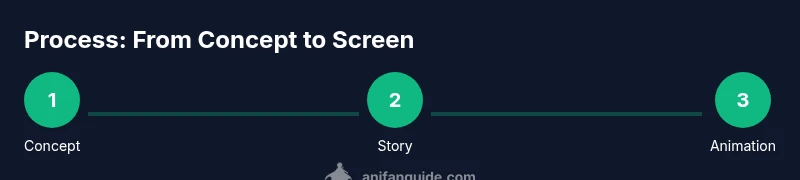
A typical workflow starts with script, follows with storyboarding and animatic, then moves into animation, coloring, lighting, and post-production. Integrate feedback loops at several stages to catch issues early. Maintain version control for assets, and document decisions to speed up handoffs if you collaborate. This holistic view helps you schedule tasks realistically and avoid bottlenecks.
Tools and learning paths for beginners
There is no single best path to start making an anime. Begin with beginner-friendly tools: drawing tablets, storyboard templates, and accessible animation software. Use free or low-cost resources to learn basics of drawing, timing, and composition. Build progressively: first master a single scene, then a sequence, then a short pilot. According to AniFanGuide, consistent practice and targeted projects deliver the fastest growth.
Common pitfalls and how to avoid them
Overreaching your scope, underestimating time, and neglecting audio are common failures. Start with a tiny pilot and scale up as skills grow. Build a robust asset library early to reuse across scenes. Keep backups and document workflows so you can reproduce results and avoid repeating mistakes.
A mini project blueprint: plan a 2-minute pilot
Outline a 2-minute pilot with a crisp premise, three character voices, five storyboard beats, and a single animation style. Schedule a two-week pre-production sprint, followed by a four-week production period, and a two-week post-production phase. This compact blueprint trains the pipeline without overwhelming you, demonstrating how you can progress in realistic steps.
Getting started: next steps and learning resources
Begin by drafting a one-page concept and a simple character sheet. Then create a tiny storyboard with 10–15 panels and a 10–15 second animatic. From there, select your tools and embark on a small practice piece to test your workflow. Consistency matters: set weekly milestones and review progress with peers or mentors.
Tools & Materials
- Computer or laptop with capable GPU(8+ GB RAM recommended; ensure OS compatibility and driver updates)
- Drawing tablet(Wacom, iPad with stylus, or equivalent for precision lines)
- Animation software(Choose beginner-friendly options (2D: Krita/OpenToonz; 3D: Blender); avoid switching mid-project)
- Storyboard templates(Printable or digital templates to map scenes and camera moves)
- Voice recording equipment(USB microphone or audio interface with XLR mic; basic pop filter)
- Script and world bible(Document core premise, character bios, setting, and episode goals)
- Asset libraries(Open-source or self-created assets to accelerate production)
- Project management tool(Simple boards or checklists to track progress and deadlines)
Steps
Estimated time: 6-12 months
- 1
Define concept and scope
Articulate a clear premise, target length, and a single-episode goal. Establish constraints to keep the project manageable. This step prevents scope creep and sets a realistic timeline.
Tip: Start with a one-paragraph concept and one-page world bible. - 2
Write script and world bible
Draft a concise script or beat sheet and expand on the setting, rules, and characters. A solid script guides every shot and character action.
Tip: Create character sheets showing motives, strengths, and flaws. - 3
Design characters and props
Develop turnarounds, expressions, and key props. Consistent design avoids confusion during animation.
Tip: Use simple shapes for early rigs to speed up iteration. - 4
Build storyboard and animatic
Translate the script into panels and rough timing. An animatic helps validate pacing before drawing frames.
Tip: Aim for 10–15 second test sequences first. - 5
Choose animation style and pipeline
Decide between full animation, cutout, or limited animation. Align tools and workflow with your chosen style.
Tip: Choose one primary tool and reuse assets to save time. - 6
Create rough animation passes
Block key poses, then fill in in-betweens. Focus on timing and readability of action.
Tip: Keep frames minimal at first to learn timing without getting bogged down. - 7
Clean up, color, and lighting
Finalize linework, add color palettes, and establish light direction. Consistency matters for mood.
Tip: Build a small color kit and reuse across scenes. - 8
Add sound and music
Record or source voices and implement SFX and music cues. Audio should enhance, not overpower, dialogue.
Tip: Sync key moments with cues to maximize impact. - 9
Edit, render, and publish
Composite layers, render the final cut, and export in appropriate formats. Publish to build a portfolio and gather feedback.
Tip: Maintain backups and document export settings for future reuse.
Frequently Asked Questions
What is the first step to start making an anime?
Start with a clear concept and a short document outlining the world and characters. A defined scope prevents scope creep and sets a realistic path.
Begin with a strong concept and a simple plan to guide your whole project.
Do I need to be a great artist to start?
No. Focus on learning core skills gradually and use simple designs. Consistency and storytelling drive the project more than technical prowess initially.
You don’t have to be a master artist—start with fundamentals and practice regularly.
What software should beginners use?
Begin with beginner-friendly tools for drawing, storyboarding, and basic animation. As you grow, you can try more advanced suites that fit your style.
Choose approachable tools to learn basics, then scale up as you gain confidence.
How long does it take to make an anime?
Time varies with scope. A small pilot can take several months, while a longer project may require a year or more.
It depends on scope and team size; start small and build up.
Can you monetize a student anime?
Yes, you can monetize through platforms, licensing, or portfolio opportunities, but plan rights and distribution early.
There are pathways to monetize, but plan rights and distribution from the start.
Can I collaborate with others on an anime?
Collaboration is common and beneficial. Define roles, set expectations, and manage files to keep everyone coordinated.
Yes, collaboration helps; assign roles and use shared workspaces.
Watch Video
Main Points
- Plan before you draw and write.
- Define a small, achievable scope.
- Build a repeatable animation pipeline.
- Iterate with feedback throughout.
- Publish a pilot to grow a portfolio.