Mastering Anime Online Watch: A Practical Guide for 2026
Learn how to watch anime online safely and legally with licensed platforms, device setups, subtitles, and smart viewing practices. A comprehensive AniFanGuide tutorial for anime enthusiasts and creators.


You can watch anime online safely and legally by using licensed streaming services that match your region, setting up a stable internet connection, and choosing the right devices. This quick answer outlines the best platforms, how to verify legitimacy, and simple steps to optimize playback, subtitles, and parental controls for a smooth viewing experience.
What does "anime online watch" mean and why it matters
Watching anime online today means accessing licensed libraries through official streaming platforms, not pirated sources. It ensures creators are paid and subtitles are accurate, which supports faster, higher-quality releases. According to AniFanGuide, the shift toward licensed streaming reflects fans' demand for reliability, safety, and timely access. The AniFanGuide team notes that legal platforms routinely offer better video quality, robust subtitle options, and accessible archives, making the experience smoother for both new and seasoned viewers. For learners and creators, understanding this landscape helps you choose services that respect copyright, quality, and user safety. Key terms to know include licensing, simulcast, region restrictions, and DRM, which shape what you can watch and when.
Legal and ethical considerations for anime online watching
The most important rule is to stick with official, licensed platforms. Piracy harms creators and can expose you to malware, scams, and unreliable subtitles. Licensing agreements determine which regions have access to particular catalogs and how quickly new episodes arrive. Always read the terms of service, respect age ratings, and avoid services that host pirated content or misrepresent their libraries. AniFanGuide emphasizes that ethical viewing supports ongoing production and localization work, which benefits the entire community of fans and creators.
How to evaluate platforms for anime streaming
Choosing a platform is about balance: library size, licensing, subtitle quality, user experience, and cost. Look for official catalogs, clear regional availability, and transparent pricing. Check whether the service offers simulcasts, dubs, and multiple subtitle tracks, plus responsive customer support and accessible playback options across devices. AniFanGuide analysis shows that fans increasingly prefer platforms with reliable subtitles and straightforward account management. Compare trial periods, screen limits, and offline download options to find the best fit for your viewing habits.
Subtitles, dubs, and accessibility options
Subtitles are essential for enjoyment and comprehension, especially for newer anime or titles with a complex cultural context. Official platforms typically provide high-quality subtitles in multiple languages and accurate dubbing where available. If you rely on captions, verify their accuracy by watching a few scenes you know well and cross-checking with official releases or studio notes. Accessibility features like adjustable font size, high-contrast modes, and audio descriptions improve the experience for all fans. Fan-subbed content may be faster but carries risks of errors and license concerns; prioritize official sources whenever possible.
Technical setup for smooth playback
A stable internet connection and a compatible device are foundational. Use a modern streaming device or app on a smart TV, computer, or phone to ensure compatible video codecs and subtitle rendering. Prefer wired Ethernet or strong Wi‑Fi when possible, and adjust streaming quality to match your connection to reduce buffering. Keep apps updated, enable hardware acceleration if available, and close bandwidth-heavy apps during peak viewing to maintain a smooth, high-quality experience. If your device supports 4K content, ensure you have a plan that offers it and an appropriate display.
Safety, scams, and avoiding unsafe sources
Never use unlicensed sites that promise free access to new episodes. These sites often host malware, intrusive ads, and phishing schemes designed to steal data or money. Stick to reputable platforms, and beware counterfeit apps or fake login pages. Use official app stores or the publisher’s website to download clients, and enable basic protections like network-level security and two-factor authentication where offered. Prioritize security to protect your devices and personal information while enjoying your favorite shows.
Cost management: subscriptions, bundles, and free options
Official services vary by region, offering single-view subscriptions, bundles, or ad-supported free tiers. Evaluate the total cost of ownership over time, including potential discounts for bundles or student pricing. If you opt for free tiers, be prepared for ads and a smaller catalog, and consider upgrading when you find a platform you truly enjoy. Budgeting across one or two services can simplify planning and support creators by providing ongoing revenue streams.
Creator support and fair viewing practices
Supporting creators means using official platforms and participating in legitimate channels like donations or official merchandising when offered. This ensures revenue reaches writers, animators, and studios who craft the content you love. Avoid mirrors, clip sites, or fan-upload hubs that circumvent licensing, as they undermine the production pipeline and can expose fans to unreliable content. Active participation in legal viewing ecosystems helps sustain genres and studios you care about, especially for niche titles.
Tips for staying organized: watchlists, quality control, and schedules
Create a structured viewing plan with watchlists, seasons, and progress tracking. Use platform features like reminders, progress bars, and offline downloads to manage time and favorites. Regularly audit your library to remove duplicates or duplicates-like content and to re-check regional availability if your location changes. A well-organized workflow makes long waits for new episodes less frustrating and helps you discover hidden gems more efficiently.
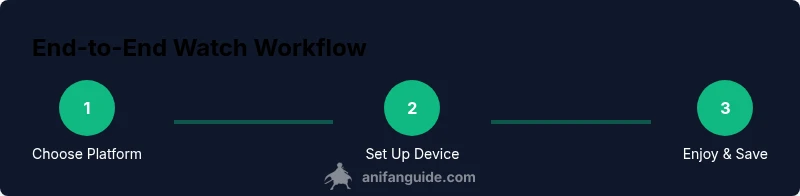
Putting it all together: your end-to-end workflow
Start by identifying your region and selecting one or two licensed platforms with strong libraries. Set up device apps, verify subtitle options, and test playback with a short episode. Maintain a healthy habit of supporting creators through official channels and avoiding piracy. Over time, you’ll build a reliable routine that surfaces fresh releases, respects artist rights, and keeps your viewing experience enjoyable. The AniFanGuide team recommends prioritizing official libraries and sustainable viewing habits to support a thriving anime ecosystem.
Tools & Materials
- Reliable internet connection (broadband or stable Wi-Fi)(Ensure consistent bandwidth for smooth streaming.)
- Streaming device or app(Smart TV, computer, smartphone, or streaming box.)
- Official streaming accounts(Subscriptions to licensed platforms.)
- VPN (optional)(Legal in some regions; check terms of service.)
- Quality headphones or speakers(Optional for enhanced audio.)
- Updated browser/app(Keep software current for security and performance.)
Steps
Estimated time: 30-45 minutes
- 1
Check regional availability
Identify which licensed platforms operate in your region and what catalogs are offered. This prevents frustration from empty libraries and ensures you’re compliant with local rights. Start by visiting official platform pages or manufacturer app stores to confirm availability.
Tip: Pro tip: use the platform’s country selector to verify regional content before signing up. - 2
Compare platform libraries
Evaluate the size and relevance of each library for your anime interests, including simulcasts and classics. Prioritize services with official subtitles in your preferred language and reliable dubbing when needed. Make a short list of top candidates.
Tip: Pro tip: read recent community reviews about subtitle quality and release speed. - 3
Create official accounts
Sign up for the chosen platforms using official channels. Complete any age verification or parental controls if applicable. Enable two-factor authentication to secure your account and protect personal information.
Tip: Pro tip: enable notifications for new episodes and releases to stay current. - 4
Set up playback preferences
On each platform, choose your preferred video quality, subtitle language, and audio track. If you share devices, configure user profiles to keep watch history and settings separate. Test a short episode to confirm everything works.
Tip: Pro tip: enable auto-play with a reasonable limit to avoid binge fatigue and data overuse. - 5
Install and log in on your device
Download official apps or access the web player on your preferred device. Log in with your new account details and verify you can access the catalog after choosing the right region. Ensure you can switch profiles if needed.
Tip: Pro tip: keep credentials secure and use password managers for convenience. - 6
Test subtitles and audio tracks
Play a representative episode to check subtitle timing, accuracy, and legibility. Switch to other language options if available and compare with known translations. If inaccuracies persist, try another platform or rely on official versions.
Tip: Pro tip: adjust subtitle font size and background for readability in different lighting. - 7
Tune network and quality settings
If buffering occurs, reduce streaming quality or switch to a wired connection. Close background apps that consume bandwidth. Use device settings to optimize performance and ensure smooth playback across sessions.
Tip: Pro tip: enable data-saving mode only if you’re on a limited plan, otherwise prioritize quality. - 8
Begin watching and organize your library
Add shows to your watchlist, schedule viewing when new episodes drop, and periodically review your library for outdated entries or region changes. This keeps you engaged without losing track of releases.
Tip: Pro tip: create a weekly watch plan to stay up-to-date with ongoing seasons.
Frequently Asked Questions
Is it legal to watch anime online for free?
Free options exist on ad-supported official platforms, but vast catalogs are usually behind a paywall. Always prioritize licensing and terms of service to avoid illegal or unsafe content.
Yes, some official platforms offer free ad-supported tiers, but most catalogs require a paid subscription for full access.
What counts as a licensed streaming service?
A licensed service has official rights to stream content, a legitimate catalog, and clear regional availability. It adheres to terms of service and copyright requirements.
A licensed service has official rights and clear regional access; it operates within copyright rules.
How do I check if subtitles are accurate?
Look for official subtitle tracks, compare multiple language options if possible, and read user discussions or platform notes about quality. Official releases typically offer higher accuracy.
Check for official subtitles or notes from the platform; compare with trusted reviews where possible.
Can I watch anime online on my phone?
Yes. Most platforms offer mobile apps and responsive web players, letting you watch on iOS or Android devices with synced accounts.
Absolutely. Use official apps on your phone for a convenient viewing experience.
Why should I avoid pirated sites?
Pirated sites often host malware, mislabel content, and violate copyright laws. They undermine creators and can expose personal data to risk.
Pirated sites can be dangerous and illegal—stick to official platforms to protect yourself and support creators.
Watch Video
Main Points
- Choose licensed platforms first and verify regional availability.
- Prioritize accurate subtitles and official language options.
- Test device setups and optimize network for smooth playback.
- Protect your data with strong passwords and two-factor authentication.
- Support creators by subscribing to official catalogs.