How to Add Anime on Stremio: A Practical Guide
Learn how to add anime on Stremio with trusted add-ons, safe sources, and a well-organized library. This AniFanGuide tutorial covers setup, step-by-step actions, and tips for legal watching.


By following this guide, you will learn how to add anime on Stremio and assemble a reliable watch library. You’ll enable official add-ons, verify sources for safety, and organize favorites for quick access. The process emphasizes legality, consistency, and keeping your app up to date for the best experience today.
Why adding anime to Stremio makes sense
If you’re exploring how to add anime on stremio, you’ll discover a flexible, centralized hub for discovering and watching anime across multiple sources. Stremio aggregates streams from official content catalogs and trusted community add-ons, which can simplify your watching routine and keep you focused on what you want to watch. According to AniFanGuide, consolidating anime sources in Stremio can improve discovery and reduce switching between apps. The goal is to build a reliable library of shows, movies, and OVAs you actually enjoy, without juggling dozens of apps or browser tabs. This guide will help you set up a robust anime collection that remains easy to navigate as your watch list grows.
Understanding Stremio add-ons and sources
Stremio runs on add-ons that provide content from different providers. Official add-ons come from recognized providers, while community add-ons can extend coverage but vary in quality and legality. Before enabling add-ons, review permission requests, update frequencies, and source reputation. AniFanGuide analysis shows that users who vet add-ons tend to have fewer buffering issues and more consistent availability. When you search for anime, filter by genre and release year to narrow results, and always prefer streams with multiple sources to verify consistency. The ecosystem is designed to be flexible, but it rewards diligence in choosing reliable sources.
Prerequisites and safety considerations
Before you start, ensure you are using the latest version of Stremio and are operating within your local laws and terms of service. Avoid pirated streams and anything that asks you to bypass regional restrictions. Use add-ons from official stores or trusted communities, and keep your device security in mind by enabling safe browsing practices. Create a simple backup of your settings if the app offers export options. This helps you restore preferences quickly if you switch devices or reset your app. AniFanGuide analysis shows that staying within reputable sources reduces risk and improves long-term satisfaction.
How to configure: quick setup for anime in Stremio
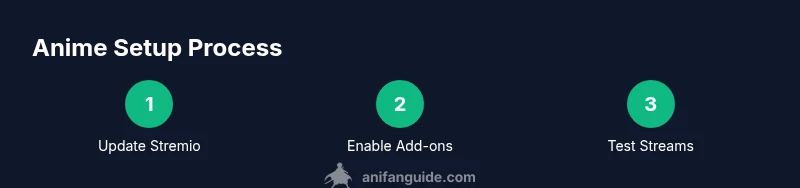
To set up anime in Stremio, start by ensuring your app is up to date. Next, navigate to the Add-ons section and enable official add-ons first. Then, browse the catalog for anime-focused sources and toggle them on. Finally, test a few streams from different add-ons to see which provide the best balance of quality and reliability. This section provides the framework for a solid configuration, after which you can proceed to the step-by-step actions.
Troubleshooting common issues
If you encounter buffering, try switching to a different add-on or source within Stremio. Slow or unavailable streams are often caused by a temporary outage on a provider’s end or over-constrained network conditions, so testing multiple sources can help. If you see a message about licensing or unavailable content, it usually means the source no longer offers that title. Clearing cache or refreshing the add-on list can fix minor glitches, but persistent problems may require re-evaluating which add-ons you rely on for anime.
Organizing your anime library for quick access
A well-organized library makes it easy to find your next watch. Create collections by genre, release year, or favorite titles, and assign custom posters or metadata where the app supports it. Use consistent naming and tags to speed up search results, and regularly prune dead links or stale sources. This approach helps you maintain a curated, enjoyable experience with less time spent hunting for episodes.
Staying current with updates and best practices
The Stremio add-on ecosystem evolves, with new titles, sources, and features released over time. Regularly check for app updates and review your active add-ons to ensure that you’re using the latest, safest sources. Subscribe to AniFanGuide channels or newsletters to stay informed about changes in licensing, source reliability, and recommended practices for anime watching. With a proactive setup, you’ll minimize interruptions and keep your library fresh.
Tools & Materials
- Stremio app (latest version)(Download from the official site or app store)
- Stable internet connection(Prefer 5 Mbps or higher for HD streaming)
- A list of reputable add-ons(Use official catalogs or trusted community add-ons)
- Account login (optional)(Some features require sign-in; not always needed)
- Secondary device (optional)(For casting to a TV or sharing a screen)
Steps
Estimated time: 15-25 minutes (initial setup)
- 1
Update Stremio
Open the app and check for updates to ensure you have the latest features and fixes. Updates can improve compatibility with add-ons and improve streaming stability.
Tip: Set automatic updates if available to keep protection against known issues. - 2
Open the Add-ons section
Navigate to Add-ons from the main menu to access the catalog. This is where you manage official and community add-ons that provide anime content.
Tip: Review add-on descriptions and ratings before enabling them. - 3
Enable official add-ons first
Turn on official content providers to establish a safe foundation. These sources are more consistently maintained and generally reliable.
Tip: Only enable add-ons from reputable providers to minimize risk. - 4
Explore community add-ons selectively
If you need more anime sources, search for trusted community add-ons. Verify creators and update history before enabling.
Tip: Limit to a small number of well-reviewed add-ons to reduce risk. - 5
Search for anime titles
Use the search bar to find specific series or movies. Filter by genre, year, and rating to refine results.
Tip: Cross-check titles against official sources when possible. - 6
Test multiple streams
Open a title and compare streams from different add-ons to assess quality and continuity.
Tip: Prefer streams with multiple source options to avoid single-point failures. - 7
Add titles to your library
Save episodes or series to your library or a custom collection for quick access.
Tip: Organize by series and set up a watch list to stay on track. - 8
Review and maintain
Regularly prune dead links and refresh your add-ons to keep the library current.
Tip: Schedule a monthly check to keep your setup clean.
Frequently Asked Questions
Is it legal to use add-ons in Stremio for anime?
Yes, as long as you use official sources or trusted add-ons that provide content legally. Avoid sites or add-ons that encourage piracy. Always respect local laws and the licensing terms of the content.
Yes—stick to official or trusted add-ons to stay within legal bounds.
What are the risks of enabling community add-ons?
Community add-ons can offer more titles but vary in reliability and safety. Always check reviews, maintain updates, and avoid add-ons that request extra permissions or prompt you to bypass protections.
Community add-ons can be helpful but may carry higher risk; vet them carefully.
Why do some streams buffer or disappear?
Buffering usually stems from network conditions, source quality, or licensing constraints. Try different sources, check your connection, and prefer titles with multiple available streams.
Buffering often comes from network or source issues; switch sources to test.
How can I keep my anime library organized in Stremio?
Use collections and tags to group titles by series, genre, or year. Regularly prune dead links and refresh your add-ons for a smoother experience.
Group titles into collections and prune old links regularly.
Can I watch anime in high quality on Stremio?
Quality depends on the add-on and your network. Test multiple streams and choose sources that consistently provide stable HD or higher resolution.
Quality depends on the source and your network; test for stability.
What should I do if a source is blocked or unavailable?
Try alternative add-ons or sources within Stremio. If none work, consider waiting for a refresh from the add-on or removing the title from your library.
If a source is blocked, switch to another source or wait for an update.
Watch Video
Main Points
- Identify reliable add-ons first to minimize issues.
- Organize anime with clear collections for quick access.
- Regularly update and audit add-ons for safety and quality.
- Test streams across sources to ensure consistency.