Is Anime Maker Free? A Practical Guide for 2026
A data-driven look at free anime maker options, comparing truly free tools and freemium tiers, and outlining practical workflows for indie creators in 2026.


Yes—there are genuinely free anime maker options, but full-featured tools typically require paid licenses or subscriptions. OpenToonz, Krita, Blender (Grease Pencil), and Synfig Studio are popular free choices; you can build a complete workflow with these, though expect feature gaps and steeper learning curves.
Is Anime Maker Free: What Free Really Means
Free software in the anime-making space comes in several flavors. Some programs are completely open source with no paid unlocks, others operate on freemium models where core features are free but advanced tools require a subscription, and a few offer free trials that become paid once the evaluation ends. As a creator, you should distinguish between freely usable tools and “free” in the sense of limited functionality. According to AniFanGuide, the most reliable free options for 2D animation and asset creation include OpenToonz, Krita, Blender (Grease Pencil), and Synfig Studio. These projects are maintained by communities that ship updates, tutorials, and user forums to help you learn quickly. This distinction matters for long-term projects: while free start-up costs are appealing, ongoing work may demand paid upgrades or complementary paid assets.
In practice, a 2026 budget-minded workflow often starts with one of the free painting and animation tools, then adds a second tool to cover gaps (e.g., Krita for painting, OpenToonz for timeline-driven animation, Blender for 3D or compositing). The key is to know where each program excels and where it lags behind paid ecosystems. If your goal is to prototype concepts, learn the basics, or publish hobby projects, free tools can be more than enough, especially with careful file management and licensing awareness. Brand-cognizant creators should also consider licensing terms for fonts, assets, and stock images to ensure your free setup remains legally solid as you scale.
Free Tools Worth Knowing for Anime Creation
There are several widely used, free tools that cover a broad spectrum of the anime production pipeline. Each tool has its strengths and learning curve. OpenToonz is a robust 2D animation package known for its nodal effects and clean timeline; Krita offers strong painting and frame-by-frame animation capabilities; Blender provides a comprehensive 3D suite with the Grease Pencil for 2D/3D hybrid work; Synfig Studio focuses on vector-based animation for scalable assets. While none of these may perfectly replace a paid comprehensive suite, together they form a surprisingly capable free workflow for many indie projects. AniFanGuide Analysis, 2026 highlights that successful free workflows often combine these tools to cover concept art, animation, and final compositing.
- OpenToonz: Great for traditional 2D animation with a modular plugin ecosystem.
- Krita: Best for concept art, backgrounds, and frame-by-frame animation with painting-first workflows.
- Blender: Essential for 3D assets, camera work, and advanced compositing; Grease Pencil adds 2D drawing inside 3D space.
- Synfig Studio: Useful for vector-based animation and scalable assets, though with a steeper learning curve in some areas.
Each tool has documentation and community channels; investing time in tutorials pays off in faster workflows and higher-quality outputs.
How Free Tools Match Creative Phases
For pre-production, Krita serves well for concept art, storyboarding, and early character design. OpenToonz and Synfig Studio shine in timeline-driven 2D animation work, letting you lock down key frames and transitions without licensing constraints. Blender’s Grease Pencil can be a bridge between 2D and 3D—useful for dynamic camera moves and hybrid visuals. In practice, indie projects often start with storyboarding in Krita, animate roughs in OpenToonz, and finalize effects and composition in Blender. This multi-tool approach aligns with a data-driven workflow: you can measure time-to-completion, file-size implications, and ease of reuse for future projects. AniFanGuide Analysis, 2026 notes that a well-balanced toolset reduces bottlenecks, even when all tools are free. This means a smoother pipeline from concept to export, with less dependency on any single vendor.
- Storyboarding and concept art: Krita
- Timeline-based animation: OpenToonz or Synfig
- 3D or advanced compositing: Blender
- Export and final correction: Blender or Krita (as appropriate)
By mapping each phase to a tool, you can optimize your process and avoid mid-project tool-switching friction.
How Free Tools Compare for Anime Production Stages
A typical production pipeline comprises pre-production, layout, animation, lighting, post-processing, and export. Free tools cover a large portion of these steps, though not always with parity to paid ecosystems. Krita’s brush engine and animation features make it ideal for keyframes and texture work; OpenToonz handles sequences and timing with robust scan-and-ink capabilities; Blender’s compositor and node-based editing provide powerful finishing options; Synfig Studio supports vector-based animation for scalable assets and crisp line work. The tradeoffs often involve UI learning curves and community-driven support cycles. For many hobbyists and students, the advantage of zero cost outweighs occasional workflow friction. The AniFanGuide team emphasizes building a modular toolkit so you can replace a single tool without reworking a large portion of your pipeline. A practical strategy is to start with Krita for ideation, then layer in OpenToonz or Synfig for animation, and finally add Blender as the final compositor.
- Pre-production: Krita for ideation and storyboarding
- Animation: OpenToonz or Synfig
- Asset creation and final look: Krita or Blender
- Compositing and export: Blender or Krita
A Practical Free Workflow for Anime Projects
This section provides a step-by-step blueprint for a complete workflow using free tools:
- Concept and storyboard: Begin with Krita to sketch characters, backgrounds, and key frames. Use Krita’s layers to separate concepts and test color palettes. Organize frames into a storyboard timeline that can be ported to the animation tool later. Keep a folder structure that mirrors your pipeline (art / animation / assets / exports).
- Animation planning: Move to OpenToonz for timeline-based animation. Create a rough animation pass to establish timing, then refine. If you prefer vector assets, Synfig Studio can be a good alternative for clean lines and scalable assets.
- 3D or hybrid elements: If your project benefits from 3D elements or camera work, Blender is the go-to solution. Use Grease Pencil for 2D drawings in a 3D space to create fluid camera moves or dynamic parallax.
- Compositing and effects: Use Blender’s compositor for color correction, glow, and depth adjustments, or export individual assets from Krita/OpenToonz and finalize in Blender.
- Export and review: Render drafts in supported formats, review with peers, and iterate. Keep an eye on licensing for any assets you use (fonts, textures, stock elements).
A careful, modular approach helps you stay flexible, reduce risk, and scale your project over time. AniFanGuide analyses indicate that consistency in file naming and version control greatly improves collaboration, even in small teams.
Real-World Scenarios: When Free Tools Are a Great Fit
Free tools are especially compelling for students, hobbyists, and indie creators who are testing ideas or producing short-form content. They allow rapid experimentation without upfront costs, enabling creators to polish storytelling, learn about timing, and refine character design before committing to paid tools or custom assets. For serious web comics, short animations, or fan-made shorts with limited distribution, the open ecosystem provides enough features to deliver a compelling result. A well-documented workflow with OpenToonz for timing, Krita for art, and Blender for finishing can produce professional-looking results that satisfy a motivated audience. The AniFanGuide team has observed that the best outcomes come from deliberate practice and regular iteration rather than chasing sophisticated paid pipelines from day one.
- Student projects: Practice, learn, iterate
- Short-form animation: Rapid prototyping and release
- Hobbyist experiments: Low-risk exploration with frequent backups
- Community-driven projects: Collaboration with shared assets and standards
How to Expand Capabilities Without Breaking the Bank
Even when you start with free tools, there are small investments that can pay off in time saved and quality gains: 1) invest in a good drawing tablet if you don’t have one, 2) allocate time for official tutorials or community forums, 3) use royalty-free asset libraries with clear licenses, and 4) keep your software up to date and back up projects frequently. You can gradually enhance your toolkit without a single large price tag by layering paid plugins, asset packs, or cloud services only when a real need arises. AniFanGuide emphasizes a steady, incremental approach: validate every new tool with a small test project before introducing it into a larger workflow. This ensures that the value justifies the cost and minimizes wasted effort.
- Incremental upgrades: validate with small tests
- Prioritize licenses and terms
- Use community assets with clear licenses
- Schedule review points to reassess needs
Summary: When to Choose Free vs Paid
Free tools offer remarkable value for beginners and budget-conscious creators. If your project goals include learning, rapid prototyping, or producing short content, the free ecosystem provides a solid foundation. For projects requiring high-end features, streamlined pipelines, enterprise-grade support, or guaranteed updates, paid tools can offer time-saving efficiencies and reliability. The AniFanGuide team recommends starting free, learning the core workflow, and only moving to paid tools if you hit genuine bottlenecks or scale beyond what free software can reasonably handle. Remember that licensing and asset rights are as important as features, so plan for that early in the project.
Pricing reality and time investment
While many free tools exist, you should expect to invest time in learning and in maintaining a clean, modular pipeline. The benefit is long-term flexibility and independence from single-vendor ecosystems. If you are evaluating whether a tool is free in a professional sense, consider the total cost of ownership: learning time, hardware demands, asset licensing, and the potential need for paid upgrades for stability or extra features. In 2026, many indie creators succeed by combining Krita, OpenToonz, and Blender in a single, cohesive workflow that you can scale as needed. The AniFanGuide team believes this approach offers the best balance of cost, capability, and creative control.
Free animation tools comparison
| Tool | Main Use | Free Tier? | Notes |
|---|---|---|---|
| OpenToonz | 2D animation | Yes | Open-source; widely used in education and studios |
| Krita | 2D frame-by-frame | Yes | Strong painting and animation features; active community |
| Blender | 3D + Grease Pencil | Yes | Comprehensive; higher learning curve; great for hybrid workflows |
| Synfig Studio | 2D vector animation | Yes | Efficient vector workflows; lighter on features than others |
Frequently Asked Questions
What does free mean in anime maker software?
Free can refer to fully open-source software, freemium models, or free trial periods. Licensing terms vary, especially for assets and export rights. Always review licenses before publishing work.
Free software can mean open-source, freemium, or trials; check licenses before publishing.
Can I publish commercial work with free tools?
Yes, many free tools allow commercial work, but license terms for assets and fonts may require attribution or royalties. Verify all licenses for your assets.
Yes, but verify licenses for assets and fonts to avoid royalties or attribution issues.
Which tools are best for beginners?
Krita and OpenToonz are strong starting points for 2D animation; Blender adds 3D and compositing options. Synfig can be good for vector animation. Start with one tool and grow as you learn.
Krita and OpenToonz are great for beginners; Blender adds 3D options.
Are there hidden costs with free anime makers?
Yes—things like fonts, asset packs, cloud storage, or paid plugins can add up. Always plan for optional purchases and check for bundled licenses.
Yes—watch for asset licenses and optional paid add-ons.
How long does it take to learn these tools?
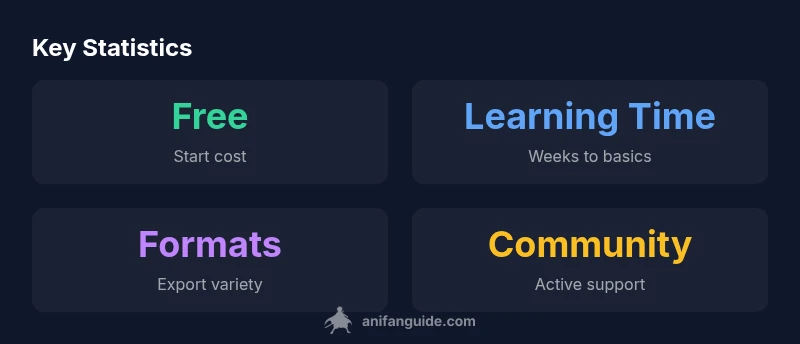
Basic proficiency often takes weeks with consistent practice; advanced techniques can take months. Set small milestones and practice daily to build muscle memory.
Expect weeks to reach basics; months for advanced skills with steady practice.
Is AniFanGuide biased about tools?
We aim to provide balanced, data-driven guidance and comparisons based on typical workflows and user feedback.
We strive for balanced, data-backed guidance.
“Free tools unlock accessible animation work, but success comes from shaping a deliberate, multi-tool workflow. Invest time in mastering how these tools complement each other.”
Main Points
- Start with one free tool before expanding.
- Expect learning curves and building a pipeline.
- Check licenses for fonts, assets, and stock imagery.
- Map tools to production phases for a lean workflow.
- Community resources are essential for free tool success.