Is Anime Hard to Make? A Practical Guide
Explore whether anime is hard to make and learn a practical, step-by-step approach to planning, producing, and refining your own anime project with real-world tips.


Is anime hard to make? Yes, because it blends storytelling with a demanding production pipeline. This guide breaks the core factors, from preproduction to final render, into actionable steps. You’ll learn the essential phases, common pitfalls, and practical tips to estimate effort, assemble the right tools, and build a feasible plan for beginners and seasoned creators alike.
The Core Challenge: What makes anime hard to make
Is anime hard to make? The short answer is yes for many projects because animation combines storytelling with a demanding pipeline. The challenge isn't only drawing many frames; it's coordinating story, art direction, timing, and collaboration across teams. According to AniFanGuide, most creators underestimate how early decisions in preproduction shape every later step. From choosing a visual style to deciding on frame rates, the early phases lock in workflows and constraints. On a practical level, you must balance ambition with feasibility: how many episodes, how many minutes per episode, and what level of detail your team can sustain over months or years. In this section, we unpack the core factors that amplify difficulty: scope, repetition, collaboration, and iteration cycles. Expect a long horizon, careful planning, and a culture of feedback. If you understand these levers, you can turn a bold concept into a workable plan rather than a perpetual pitch deck.
Preproduction foundations
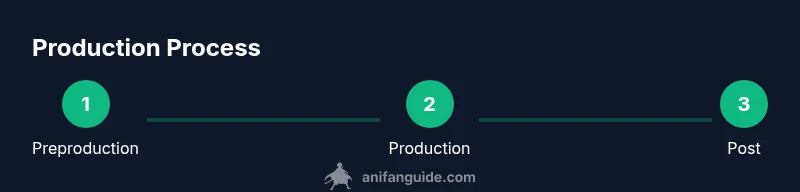
The preproduction phase sets the shape of the entire project. Clear goals, a strong story bible, character design sheets, and an animatic roadmap dramatically reduce rework later. AniFanGuide analysis shows that teams that invest time in world-building, tone documentation, and asset libraries see smoother handoffs and fewer creative standoffs in production. Start by outlining your core premise, target audience, and episode length. Then create a storyboard skeleton and a one-page animation style guide. These artifacts form the contract that keeps artists, voice actors, and technicians aligned. As you refine the plan, build a modular asset catalog with reusable characters, props, and backgrounds. A robust preproduction package acts like a compass, guiding decisions about rigging, color pipelines, and shot planning, while making it easier to scale up if the concept expands to a longer series. The goal is to reduce guesswork and set measurable milestones from the outset.
Production pipelines and art direction
Animation production combines several interdependent pipelines: layout, animation, color, lighting, compositing, sound, and editing. The art direction must stay consistent across episodes; otherwise, the illusion of motion breaks. A well-defined pipeline includes a storyboard to animatic transition, asset libraries, and rigging standards. In practice, you’ll create keyframes for major moments, generate in-betweens, and review timing against a storyboard reference. For digital tools, choose a primary suite (e.g., a 2D animation package and a painting program) and stitch them with a defined export format. Sound design, voice recording, and music must be scheduled to support animation pacing rather than distract from it. Regular reviews and a shared timeline help keep the team on track. Expect iterations; most studios refine scenes multiple times before final renders. The more you document your process, the easier it is to onboard new artists and scale the project.
Team roles and collaboration
Anime production is a collaborative art; no single creator carries the project alone. Core roles include director, storyboard artist, character designer, background painter, animator, rigger, compositor, sound designer, and producer. In small teams, one person may wear several hats, but clarity still matters. Define who owns decisions in each area, who reviews work, and how feedback travels through the pipeline. Communication channels should be consistent, with weekly reviews and a shared task board. Tools like version control for assets, centralized references, and a documented style guide help reduce miscommunication. The most successful teams prioritize psychological safety: people should feel comfortable flagging problems early. This not only speeds up production but also keeps the project creative and humane. Remember: coordination often costs as much time as actual drawing; invest in clear workflows and regular check-ins.
Scope management and realistic planning for beginners
New creators frequently misjudge scope when asked to produce animation. Start with a small, well-defined pilot or a single short episode rather than a rumored full series. Set a minimum viable product: a few minutes of animation, a handful of characters, and one or two environments. Build your plan around deliverables, milestones, and buffers for revision. Use a simple project timeline to visualize dependencies: script → storyboard → assets → animation → comp → sound → final edit. Track progress against milestones and adjust scope if early feedback reveals a fundamental misalignment with audience expectations or budget constraints. A conservative approach reduces burnout and keeps the project moving forward. By focusing on achievable targets, you learn the craft without sacrificing quality.
Tools, budgets, and learning resources
Choosing the right tools matters, but disciplined practice matters more. For beginners, free or low-cost tools such as Blender for 3D or Krita for painting provide a solid foundation; many studios blend traditional drawing with digital painting tools. For animation, consider software with a gentle learning curve and robust community support. Beyond software, invest in a learning plan: study shot breakdowns, practice character design, and build a personal asset library. As you accumulate assets, keep a budget mindset: track costs for software licenses, asset purchases, and time. Free community courses, official documentation, and creator workshops can accelerate progress. Consistency beats intensity: set a regular practice schedule and early, tangible projects to demonstrate growth. The goal is to build a sustainable workflow rather than chasing a perfect first attempt.
Tools & Materials
- Story bible / outline(Outline core premise, arcs, and character roles)
- Character design sheets(Model sheets with turnarounds for leads and antagonists)
- Storyboard software or templates(To plan scenes and transitions)
- Animation software(2D or 3D; e.g., Blender or Harmony)
- Graphic tablet or drawing hardware(Pressure-sensitive device for sketching and inking)
- Computer workstation with GPU(Capable GPU for rendering and real-time work)
- Asset library and version control(Centralized storage with backups)
- Audio recording gear(Microphone, headphones for voice work)
- Project management tool(Trello or Notion for tracking tasks)
Steps
Estimated time: 6-24 months
- 1
Define scope and goals
Clarify target audience, episode length, and style. Create a short brief outlining deliverables and success metrics. This step prevents scope creep later on.
Tip: Write a one-page charter and lock it before moving forward. - 2
Build preproduction artifacts
Create a story bible, character sheets, and a rough animatic to test pacing. These assets guide every downstream decision and reduce revisits.
Tip: Keep revisions centralized in a shared folder. - 3
Set up a lean production pipeline
Choose primary tools, establish asset naming conventions, and define export formats. A simple pipeline minimizes bottlenecks when the team grows.
Tip: Document a default workflow and stick to it for consistency. - 4
Create asset libraries
Develop reusable assets for backgrounds, characters, and props. A modular catalog speeds up scene assembly and iteration.
Tip: Tag assets by usage to simplify retrieval. - 5
Animate key scenes
Focus on major sequences first; refine timing and spacing before filling in in-betweens. Early feedback saves major rework later.
Tip: Use rough timing to test flow without worrying about polish. - 6
Color, lighting, and compositing
Establish a consistent color palette and lighting language. Integrate all passes into a coherent final look.
Tip: Lock a lighting key shot early to guide the rest of the episodes. - 7
Sound design and mix
Sync dialogue, effects, and music with animation. A balanced mix enhances readability and emotional impact.
Tip: Record a quick reference guide for audio cues in each scene. - 8
Review, iterate, and finalize
Conduct multi-person reviews, collect notes, and apply revisions. Finalize renders and prepare deliverables for sharing or publishing.
Tip: Schedule built-in revision windows to avoid crunch.
Frequently Asked Questions
Is anime hard to make for beginners?
For beginners, anime production presents a steep learning curve due to multiple disciplines: story, art, animation, and sound. Start with a small pilot to learn the workflow and gradually expand. Persistence and structured practice make the process manageable.
Yes, but you can start small. Begin with a tiny pilot to learn the workflow and gradually scale up with practice.
What is the first step in creating anime?
The first step is defining scope and goals. Clarify audience, length per episode, and core style. This anchors your preproduction and informs every subsequent decision.
Start by defining your scope and goals to anchor the whole project.
Which software should a beginner learn first?
Begin with user-friendly tools that fit your style, such as a painting program for concept art and a capable animation package. The key is consistency and community support, not chasing the latest feature.
Choose beginner-friendly tools with strong tutorials and practice consistently.
Do you need a big team to start?
No. Start with a small, multi-tasking core team and clearly define roles. As your project grows, you can expand the team and formalize processes.
A small core team is enough to start; scale as needed.
How long does it take to finish a short anime episode?
Time varies by scope and quality targets. Plan for a realistic schedule with built-in buffers for revision and feedback.
It varies, but build in buffers for feedback and revisions.
What are common mistakes to avoid?
Underestimating preproduction, poor asset management, and inconsistent art direction lead to costly rework. Invest in planning and standardized pipelines from the start.
Avoid skimping on preproduction and asset management to save time later.
Watch Video
Main Points
- Define scope before production.
- Build a solid preproduction package.
- Create a repeatable pipeline for consistency.
- Prioritize feedback and iteration to reduce rework.