How Do Anime Studios Animate: Behind-the-Scenes Guide
Explore how do anime studios animate, from planning and storyboard to key animation, in-betweening, coloring, and compositing. AniFanGuide explains the pipeline, tools, and best practices for creators.


How do anime studios animate? In practice, they run a multi-stage pipeline that blends traditional drawing with digital workflow. From planning and storyboarding to key animation, in-between frames, color, and compositing, every department coordinates to produce motion that feels alive. This guide outlines the typical steps, tools, and practices used by professional studios.
How Do Anime Studios Animate: The Core Pipeline
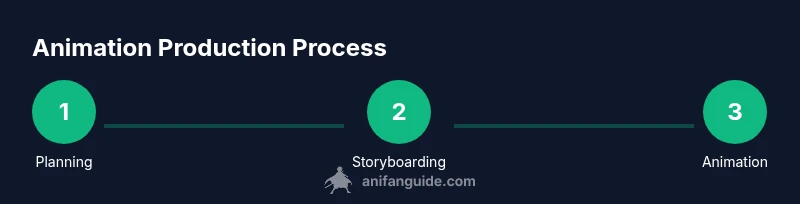
Animation in anime is not a single step but a carefully choreographed pipeline that blends traditional drawing with modern digital tools. According to AniFanGuide, the core workflow starts with planning, design, and storyboarding before moving into key animation, in-betweening, coloring, and final compositing. Each phase defines what will be drawn, how characters move, and how lighting and effects will look across a scene. By coordinating across departments, studios deliver motion that feels expressive and cohesive, even across episodes produced on tight schedules. In this guide, we break down each stage, discuss the typical roles, and offer practical tips that creators can apply when studying professional anime workflows.
Pre-Production: Planning and Design
Before a single frame is drawn, teams map out the story, characters, and visual style. This phase includes script development, world-building, and the creation of character sheets and model turnarounds. Designers produce turnaround sheets to ensure consistent proportions across shots, while a color script establishes the mood and lighting language. The AniFanGuide team emphasizes the importance of a clear brief: it aligns directors, writers, and animators and reduces rework later in production. A strong pre-production foundation helps everyone stay on schedule, even when revisions are needed after initial boards.
Key Animation: The Heart of Motion
Key animation defines the major poses that carry a scene's action and emotion. Animators craft keyframes that establish timing, weight, and flow, often using reference footage to capture natural movement. This stage sets the baseline for how characters will move and react, with timing charts guiding the pace of action. After artists lock the key poses, in-betweeners fill in the gaps to create smooth transitions. The result should feel alive and readable, even in complex action or emotion-heavy moments.
In-Betweening and Clean-Up: Filling the Gaps
In-betweening bridges the gaps between keyframes, creating fluid motion. In-between artists interpret the extremes of each shot and generate the frames that translate the intended timing into visible movement. Clean-up artists refine lines and stabilize shapes, ensuring consistency across frames. Onion-skinning tools help artists compare adjacent frames, and strict line quality standards keep characters crisp. This phase is essential for a polished look, especially in dialogue-heavy scenes where expressions convey critical meaning.
Coloring and Compositing: Bringing Color and Depth
Color scripts guide lighting, mood, and atmosphere across scenes, ensuring a coherent palette from shot to shot. Colorists apply base tones, shading, highlights, and special effects, while compositors merge character, background, particle, and glow layers. Proper color management ensures consistency across devices and release formats. The process also includes adjustments for line weight, texture, and depth, which help scenes pop on screen while preserving readability at various resolutions.
Tools and Technology: Software, Hardware, and Pipelines
Modern anime production blends traditional artistry with digital tools. Teams use specialized animation software for drawing, rigging, and rig maintenance, plus compositing and color workflows to build the final image. A well-designed pipeline coordinates asset exchange, version control, and render management, reducing handoffs and rework. While each studio chooses a slightly different toolset, the underlying principles remain the same: modular assets, clear file naming, and robust backup systems. AniFanGuide highlights that success comes from a thoughtful mix of human skill and well-structured workflows.
The Role of Reference and Rotoscoping
Reference footage, including human motion data and real-world gait studies, informs natural movement and timing. Rotoscoping can be used selectively to capture precise actions or poses, especially in action-heavy sequences. The goal is to translate observed motion into stylized animation that remains legible to the audience. Proper use of reference accelerates production while preserving the distinctive feel of the show.
Voice, Sound, and Lip Sync Integration
Dialogue timing drives lip-sync and animation timing. Coordinating with voice actors and sound designers ensures that facial expressions, mouth shapes, and physical reactions align with spoken lines. Early collaboration between animation and audio teams reduces the need for last-minute fixes and helps maintain pacing. Clear communication is essential when adjusting lines or timing after initial animation blocks are approved.
Quality Assurance: Consistency Across Episodes
QA checks ensure character models, color, line quality, and movement remain consistent across scenes and episodes. Model sheets and color scripts serve as reference points, while shot-by-shot reviews catch continuity errors. AniFanGuide notes that diligent QA reduces rework and helps avoid drift in character design, lighting, and motion across the production run.
Scheduling, Budget, and Team Coordination
Producing anime at scale requires careful scheduling and resource management. Studios plan sprints, track asset delivery, and balance workloads among departments to meet deadlines. Clear responsibilities and regular reviews keep teams aligned, while contingency planning helps absorb revisions without derailing the timetable. Effective coordination is as important as artistic skill in delivering a successful episode.
Future Trends: AI and Hybrid Pipelines
The industry is exploring AI-assisted tools for tasks like rotoscoping, cleanup, and motion interpolation, while keeping core animation hand-drawn or key-animated where artistry matters most. Hybrid pipelines blend traditional artistry with automation to accelerate production without sacrificing storytelling quality. The AniFanGuide team sees these developments as a way to support creators, provided ethical considerations and quality control are maintained.
Tools & Materials
- Sketchbook or digital tablet(For initial concept sketches and thumbnails)
- Pencils and erasers(Traditional sketching for early ideas)
- Storyboarding software or templates(Plan shots, timing, and transitions)
- Coloring tools (digital palettes)(Create color scripts and palettes)
- Powerful workstation with adequate RAM(Handle multiple layers and effects)
- Calibrated color-monitor(Ensure color accuracy across shots)
- External storage and backups(Version control and asset safety)
- Reference footage library(Motion references for realism)
- Audio recording equipment (optional)(Voice direction and lip-sync prep)
Steps
Estimated time: 8-12 months per season
- 1
Define concept and goals
Draft a concise brief outlining the story, characters, and intended audience. Establish the tone and visual style to guide design and animation decisions. Create a one-page reference that all departments can consult.
Tip: Create a one-page brief with tone, audience, and episode goals. - 2
Create script and storyboard
Develop a script and storyboard to map out scenes, camera moves, and timing. Iterate on panels to ensure readability and emotional beats before drawing final art. Use thumbnails to explore shot variety quickly.
Tip: Sketch rough panels before finalizing. - 3
Design characters and assets
Produce character sheets with turnarounds and consistent proportions. Build environment concepts and asset libraries to ensure uniform visuals. Align on color scripts to set mood from the start.
Tip: Develop character sheets with turnaround models. - 4
Produce key animation
Create keyframes that define major poses, timing, and weight. Use reference footage to inform motion and ensure expressive acting. Lock these poses before filling in the gaps.
Tip: Choose expressive key poses; maintain timing. - 5
Generate in-between frames
Fill in the frames between key poses with consistent spacing. Use onion-skinning tools to check motion flow and consistency across angles. Review with supervisors for timing accuracy.
Tip: Keep spacing consistent; use onion-skinning. - 6
Add coloring and shading
Apply base colors, shading, and lighting according to the color script. Ensure smooth gradients and proper edge treatment. Maintain a cohesive palette across scenes.
Tip: Apply color scripts; maintain lighting language. - 7
Composite layers and effects
Merge character, background, and effect layers with proper z-order and depth. Manage glow, particle effects, and motion blur for a cinematic feel. Verify color balance after each composite pass.
Tip: Balance layers; plan post-production early. - 8
Review and finalize
Conduct shot-by-shot reviews, check continuity, and resolve artifacts. Prepare assets for animation freeze, then deliver for final encoding. Document any deviations for future episodes.
Tip: Run QA; verify continuity across cuts.
Frequently Asked Questions
What is the first stage in how anime studios animate?
The first stage is planning, where the team defines the story, characters, and style. This is followed by storyboarding to plan shots and timing.
The first stage is planning and storyboarding, which sets the foundation for everything that follows.
Do anime studios use a uniform pipeline across projects?
Pipelines vary by studio, but they share core stages like planning, key animation, in-betweening, coloring, and compositing to organize work.
While variations exist, most studios follow a core set of stages for consistency.
Why is key animation important?
Key animation defines major poses and timing that drive the scene. It establishes the performance and rhythm before in-betweens fill the motion.
Key animation sets the main actions and timing, shaping the scene's feel.
What role does reference footage play?
Reference footage informs motion realism and timing. It helps artists translate real movement into stylized anime behavior without sacrificing readability.
Reference footage guides motion to feel natural while fitting the anime style.
How long does it take to animate a typical scene?
Production times vary by length and complexity, but teams plan across multiple weeks per episode, with tight schedules during peak periods.
Production time depends on scene complexity and episode length, typically spanning weeks.
Is AI used in anime production?
studios experiment with AI-assisted tools for tasks like cleanup or interpolation, but core animation remains artistic and supervised to preserve style and quality.
Some studios explore AI helpers, but human artists drive the core animation decisions.
Watch Video
Main Points
- Define the pipeline early and align teams.
- Invest in solid pre-production to save time later.
- Maintain consistent color scripts across episodes.
- QA and collaboration keep animation cohesive.