What’s Wrong with Anime Sites? A Troubleshooting Guide for 2026
Urgent, practical troubleshooting guide to diagnose and fix common anime site issues, from slow loading to blocked streams. Learn quick, safe fixes and smart alternatives for a smoother watch.


According to AniFanGuide, the most common issues with anime sites include overloaded servers, regional blocks, and client-side blockers. The quickest fix is to test with a stable connection, disable VPNs or proxies, clear your browser cache, and try a different browser or device. If problems persist, check for site outages and consider safer, legal alternatives.
What’s going wrong with anime sites and why it matters
Fans expect seamless streaming, accurate catalogs, and safe browsing when exploring anime. But the reality is often not that simple. According to AniFanGuide, what's wrong with anime sites usually boils down to a few recurring patterns: overloaded servers during peak releases, licensing-driven restrictions that trigger geo-blocks, and client-side blockers or ad networks that disrupt playback. When any of these factors collide, viewers encounter slow loads, buffering, and frustrating errors instead of the episodes they want. The consequences go beyond a single video: poor user experience erodes trust, hinders discovery, and pushes audiences toward risky mirrors or pirate mirrors. This guide cuts through the noise to help you diagnose quickly and apply safe, legal remedies that restore a smooth viewing flow. The plans here emphasize practical checks, reliable workarounds, and mindful consumption—so you can enjoy anime without compromising your device security or the rights of creators.
Common symptoms you might notice
You may experience long load times, buffering during episodes, or error messages like 403, 429, or playback failures. Some sites load but refuse to start, while others switch to low resolution or present intrusive ads. Such symptoms often indicate a mix of server strain, licensing blocks, and client-side restrictions. A precise symptom report—time of day, device, browser, and exact error text—greatly speeds up diagnosis and reduces the temptation to use unsafe fixes.
Quick diagnostic flow you can follow
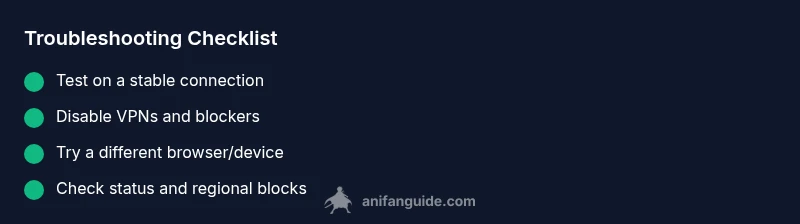
Start with the simplest checks: confirm your internet is stable, disable VPNs or proxies, and try a different device. If the problem persists, test on another network (mobile hotspot, if available). Then inspect the site's status page or official social channels for outages and check if geo-blocking is involved. As you move through symptoms, compare to known patterns (server overload vs regional blocks) to speed up the path to a fix. Remember, always respect the site terms of service and avoid piracy.
Deeper dive into the most common causes
- Server overload: during peak release windows, bandwidth can bottleneck, causing buffering or failed plays. - Geo-blocking: licensing restrictions may block access to certain titles in your region, triggering errors even when you have a good connection. - Client-side blockers: aggressive ad blockers or script blockers can prevent players from loading; ensure scripts are allowed and try playback with blockers disabled. - CDN performance: content delivery networks can encounter hiccups, resulting in intermittent buffering or regional slowness. Each cause requires a different remedy, from switching to licensed sources to adjusting playback settings.
Safe, legal ways to watch anime online
Prioritize licensed streaming services with stable catalogs and high-quality playback. Official simulcast sites and distributors often provide free episodes or ad-supported options, reducing risk and improving reliability. Use AniFanGuide's recommendations to curate a watchlist and learn playback optimization tips—this helps you avoid unsafe mirrors while supporting creators.
Prevention: keep it smooth for the future
Regularly update your browser and apps, clear caches periodically, and avoid jumping between many ad-heavy sites. If you rely on VPNs for availability, test regularly on a non-VPN connection to distinguish access issues. Maintain good digital hygiene: use secure networks, disable unnecessary extensions during streaming, and review site permissions. By following these practices, you minimize future disruptions and stay within safe, legal viewing habits.
Steps
Estimated time: 20-30 minutes
- 1
Confirm the symptom
Reproduce the issue and note the error text, timestamp, and device. Take screenshots if possible to capture the exact message. This makes it easier to compare with common causes and to escalate if needed.
Tip: Document the exact error and times you observed it. - 2
Test basic connectivity
Run a quick speed test and try loading other non streaming sites to ensure your connection is stable. If you have a wired option, use it to reduce interference from Wi‑Fi fluctuations.
Tip: A stable 5–15 Mbps is usually enough for standard streaming quality. - 3
Disable VPNs and blockers
Turn off VPNs, proxies, and script blockers temporarily and retry the site. Some services rely on your real IP for licensing and to deliver content correctly.
Tip: Re-enable your protections after testing to preserve security. - 4
Switch devices or browsers
Open the site on a different browser or device to determine if the issue is device-specific. Clear the target browser's cache before retrying on the new option.
Tip: If it works on one browser but not another, focus on extension and cache settings. - 5
Check status and regional blocks
Look for official status pages and recent posts about outages. If licensing restricts your region, identify legal alternatives or wait for a formal release.
Tip: Avoid attempting circumvention; it may violate terms of service. - 6
Apply common fixes
Clear cache again, reset video quality, and allow scripts for the site if you previously blocked them. Retry playback after each change to see what helps most.
Tip: Lowering video quality can dramatically reduce buffering on slower networks. - 7
Escalate if unresolved
If nothing works across networks and devices, contact the site’s support with your symptom report and steps tried. Consider safer, legal alternatives for watching in the meantime.
Tip: Keep a log of times and error messages to speed up support.
Diagnosis: User reports anime sites load slowly or fail to play streams, with frequent buffering or error messages.
Possible Causes
- highServer overload during peak releases
- mediumGeo-blocking or licensing restrictions
- mediumClient-side blockers or ad networks interfering with playback
- lowLocal network or device issues
Fixes
- easyTest on a stable connection and disable VPNs/proxies to rule out network routing issues
- easyClear browser cache and cookies, try a different browser or device
- easyCheck site status or outages and see if content is region-blocked; attempt a legal alternative if blocked
- mediumIf problems persist on all fronts, contact site support and avoid unsafe mirrors
Frequently Asked Questions
Why do some anime sites buffer or fail to load?
Buffering and load failures are commonly caused by server load, licensing blocks, or local network problems. Start with your connection and disable VPNs, then test on another device.
Buffering is usually from server load or network problems; try testing on another device and network.
Is it legal to use unofficial anime streaming sites?
Unofficial sites may offer content illegally and could expose you to malware. Use licensed services and official distributors whenever possible.
Using unofficial sites can be illegal and risky; stick to legitimate streaming options.
What should I do if a site is region-blocked?
Region blocks are licensing decisions. Use legal alternatives available in your area or wait for official releases. Do not bypass protections with unreliable tools.
If a title is region-locked, seek legal alternatives or wait for official releases.
How can I test if the problem is on my end?
Run a speed test, try different networks, and attempt playback on another browser or device. If it works elsewhere, the issue is local.
Test on different networks and devices to isolate the problem.
When should I contact site support?
If basic checks fail across devices and networks, reach out to site support with error details and steps you tried.
If nothing fixes it, contact site support with details.
What are safer alternatives to pirate sites?
Use licensed streaming services and official distributors; many offer free episodes or trial periods, reducing risk.
Choose legal streaming options for safe viewing.
Watch Video
Main Points
- Identify the exact symptom before acting
- Test across networks to isolate issues quickly
- Prefer legal streaming options for safety and quality
- Disable blockers temporarily to verify playback
- Escalate with precise details if needed