How to Tell if Anime Is AI-Generated
Learn practical signs to distinguish AI-generated anime from human-made animation. Explore visuals, audio cues, metadata, and credits with a clear, step-by-step guide.


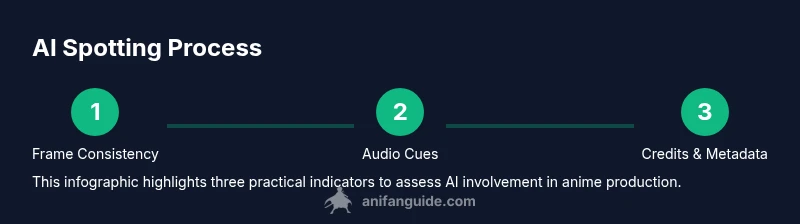
AI-generated anime can be identified by a cluster of signs: inconsistent visuals, uncanny facial details, odd lip-sync, jittery motion, unusual background patterns, atypical lighting, and metadata hints. There isn't a single test; combine frame-by-frame inspection, audio cues, and production credits for a reliable read.
What counts as AI-generated anime?
AI-generated anime describes animation where one or more parts of the production pipeline are driven by artificial intelligence, from storyboards and character designs to in-between frames and even audio synthesis. It’s important to distinguish between AI-assisted workflows—where humans curate outputs and use AI as an aid—and fully AI-generated content, where AI handles most creative decisions. For viewers, the practical question is not whether AI is used, but to what extent and how transparently it’s disclosed. According to AniFanGuide, AI is increasingly integrated into production, but most publicly released anime still relies on human-led direction with AI tools used for efficiency rather than as a replacement for artistry. The key takeaway is: you’re looking for a blend of automated tools and human oversight; a pure AI storyboard-to-screen pipeline is still a rarity in mainstream releases, and most signals arise from consistency, not a single signature.
Visual tells: frames, shading, and textures
In AI-generated frames, you may notice inconsistent line weights, jagged edges around silhouettes, or repetitive texture patterns in backgrounds. Lighting can look inconsistent across scenes, with abrupt changes that don’t align with light sources. Colors may shift unnaturally between cuts, and shading can appear flat where depth should exist. Look for repeated textures in crowd scenes or repeated background elements across different locales. In addition, AI-generated content may show occasional minor misalignments between characters and their shadows. While skilled artists can mimic these cues, a high concentration of such irregularities across a short sequence is a tip-off. For viewers, it helps to compare frames from different episodes or scenes to see whether inconsistencies recur in a way that suggests automated generation rather than intentional design.
Motion and lip-sync quirks
AI-generated sequences often exhibit subtle but telling motion irregularities. Look for slightly off-beat lip-sync where mouth shapes don’t align perfectly with spoken syllables, or where lip movements lag behind or overshoot dialogue. Body motion can feel jittery in in-between frames or show inconsistent pacing during action beats. Non-human timing can manifest as unnatural acceleration or deceleration in fast choreographed sequences. If you notice smooth motion in some parts and stilted motion in others without a clear artistic rationale, that’s a sign to flag for closer inspection. Remember: motion should feel cohesive and intentional; stochastic AI generation may struggle to maintain strict continuity across shots.
Audio cues and voice synthesis
AI audio can sound synthetic, with slightly metallic timbres or exaggerated phonemes. Lip-sync mismatches often accompany these cues, and background crowd noise may feel unnaturally uniform or repetitive. Some AI voices lack character or regional inflections typical of human voice actors, especially in emotional scenes. Check for unusual cadence, inconsistencies in tone between scenes, or voices that don’t match character ages or personalities. However, AI-assisted audio is common in practice; the key is to assess whether the audio feels like a deliberate choice or a generic placeholder. The goal is to detect a production where AI drives the main audio narrative rather than merely filling gaps.
Production metadata and credits
Metadata and credits can reveal AI involvement that isn’t obvious from visuals alone. Look for notes about AI-assisted workflows, rotation of tasks like upscaling, background generation, or automatic in-betweens. Credits may list software tools used for animation, colorization, or audio synthesis. If a title emphasizes cutting-edge technology without transparent disclosure, take it as a red flag. Cross-reference credits with press materials, official websites, and industry reports. In many cases, AI usage is disclosed, but not always; the absence of disclosure doesn’t prove AI involvement, but it reduces the likelihood of deliberate transparency. AniFanGuide’s analysis highlights that cross-checking credits and production notes is essential in modern anime consumption.
Practical comparison exercises you can run at home
To sharpen your eye, practice with clips from multiple sources. Compare one scene side-by-side with a frame-by-frame analysis tool, noting: frame consistency, shading, backgrounds, lip-sync, and audio texture. Create a simple checklist to mark which indicators are present in each clip. Over time, you’ll develop a sense for the typical quality and idiosyncrasies of human-made animation versus AI-assisted sequences. Keep a log of your findings and compare them across releases to identify patterns. The exercise is about building a trained instinct, not achieving certainty on every clip.
Ethical considerations and legitimate AI uses in anime
AI tools can speed up workflow without replacing artistic direction. When used responsibly, AI supports tasks like upscaling old footage, generating in-between frames under supervision, or translating dialogue in a non-intrusive way. The ethical use of AI respects creators’ rights and clear disclosure about technology use in the production pipeline. Fans should celebrate responsible innovation while maintaining scrutiny over transparency and consent. The industry trend is toward blended workflows that maximize efficiency while preserving human artistic control.
Quick reference checklist for viewers
- Look for recurring visual anomalies across scenes
- Check lip-sync alignment with dialogue
- Listen for synthetic or inconsistent voices
- Review credits for AI tools or mentions of automated processes
- Compare multiple frames and episodes for pattern recognition
- Verify production notes on official materials
- Cross-check with reputable press coverage
- Treat a single odd frame as a possible artifact, not proof
- Consider the broader context of the production pipeline
Tools & Materials
- Magnifying glass (optional)(For close inspection of small details in frames)
- Calibrated display or colorimeter(Ensures accurate evaluation of shading and color)
- Digital notepad or spreadsheet(Record observations by frame/scene for comparison)
- Video player with frame-by-frame control(Pause and advance frame-by-frame to inspect timing)
- Credits database or official notes(Use to verify production credits and AI mentions)
Steps
Estimated time: 60-90 minutes
- 1
Prepare your viewing context
Select clips from a few episodes across different seasons if possible. Decide whether you’re evaluating an official release or a fan edition. Ensure you’re watching at standard frame rates and in a controlled display environment to avoid misleading cues.
Tip: Set playback to frame-by-frame and note any frames that stand out as suspicious. - 2
Inspect frame-level details
Scan for in-between inconsistencies, edge artifacts, and repetitive textures in backgrounds. Check for lighting shifts that don’t align with scene geometry or source lighting.
Tip: Zoom in on faces and hands to catch subtle misalignment in eyelid motion, mouth shapes, and finger placement. - 3
Evaluate motion continuity
Track fast action sequences and choreographed moves; AI can produce jittery transitions or uneven pacing. Compare successive frames for smoothness and coherence.
Tip: Note frames where motion abruptly changes speed without an in-story reason. - 4
Assess audio cues
Listen for synthetic voice timbres, odd phrasing, or mismatches between dialogue and lip movements. Pay attention to consistent ambient sound or crowd patterns.
Tip: Play clips with voice-overs in isolation from music to hear potential AI artifacts. - 5
Check metadata and credits
Review official credits, streaming notes, and press materials for mentions of AI tools or automated processes. Cross-check with studio announcements when available.
Tip: If credits omit AI references but visuals raise questions, document it for further verification. - 6
Cross-reference with external sources
Look up production notes in interviews, trade press, or uploads from the studio. Cross-check against industry reports to gauge AI adoption levels.
Tip: Create a short dossier summarizing findings and any inconsistencies you found.
Frequently Asked Questions
Can AI-generated anime still look convincingly human-made?
Yes. AI can emulate human style, but multiple inconsistencies—across frames, audio, and credits—often reveal AI involvement. A convincing single frame doesn’t prove authenticity.
Yes, AI can imitate human art, but check frames, sound, and credits for signs of AI use.
What is the most reliable indicator that anime is AI-generated?
There is no single indicator. A multi-faceted check—visual inconsistencies, audio cues, and production notes—offers the most reliable assessment.
No single indicator proves AI involvement; use a multi-indicator approach.
How can viewers verify production credits and AI usage?
Check streaming platform notes, official studio releases, and press materials. Cross-check with industry reports or interviews when possible.
Look at official credits and studio statements, then cross-check with reputable sources.
Is AI use in anime production legal everywhere?
Legality depends on jurisdiction and licensing. Many studios use AI tools under licenses, with varying disclosure practices.
It depends on local laws and licenses; transparency varies by region and studio.
Can fans encounter AI-assisted animation in fan projects?
AI is sometimes used in fan works for effects or acceleration, but licensing and attribution vary. Always check the project’s terms.
AI may appear in fan works, but always check licenses and attributions.
Will AI replace human animators in the near future?
Unlikely in the near term. AI is a tool to accelerate tasks, while humans retain creative direction and storytelling control.
AI is a tool, not a replacement; human direction remains essential.
Watch Video
Main Points
- Analyze visuals, audio, and credits together
- Spot recurring frame-level inconsistencies across scenes
- Verify production notes and credits for AI mentions
- Rely on multiple indicators, not one sign
- Practice with diverse clips to build recognition