How to Use Codes in Anime Adventures: A Step-by-Step Guide
Learn how to use codes in Anime Adventures to unlock rewards. This guide covers where to find legitimate codes, how to redeem them, troubleshooting, and best practices to maximize rewards.


How to use codes in Anime Adventures: this guide shows you how to redeem codes quickly to unlock rewards. You’ll learn where to find valid codes, how to redeem them in-game, and how to avoid expired options. According to AniFanGuide, codes are time-sensitive and reward-driven, so using them promptly increases your odds of receiving valuable items.
What are codes in Anime Adventures?
In Anime Adventures, codes are alphanumeric strings released by the developers that grant players rewards like characters, boosts, or in-game currency. They are a way to celebrate events, partnerships, or milestones without spending real money. Codes usually have length requirements and are case-sensitive, so accuracy matters. As the AniFanGuide Team notes, these codes are time-sensitive and can expire, which means you should redeem them as soon as you find a valid code from official sources. Understanding how codes work helps you plan your gameplay more efficiently and prevents missed opportunities during limited-time events. Always verify the source before attempting redemption to avoid scams and invalid codes.
Where to Find Legitimate Codes
Legitimate codes are typically published through official channels. Start with the game's official social media accounts, such as the Anime Adventures pages on X/Twitter, Discord server announcements, and the Roblox group posts. Official newsletters or the game’s website are also reliable sources. To avoid scams, ignore unsolicited messages or third-party sites that promise “free codes.” Rather than chasing every rumor, subscribe to official channels and set alerts for new posts during events or major updates. Keeping a short list of trusted sources helps you stay current without risking your account.
How to Redeem Codes in-Game
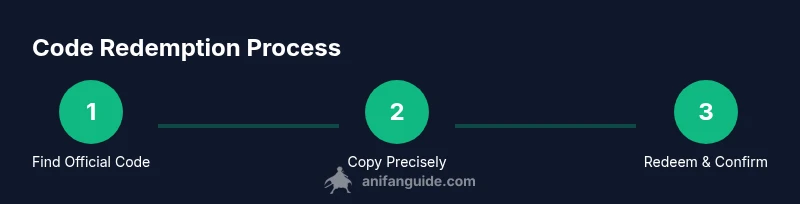
Redeeming a code is a quick, in-game action. Start Anime Adventures, open the main menu, and locate the Redeem Code option. Paste or type the code exactly as published (codes are often case-sensitive). Confirm to receive the reward, which will usually appear in your inventory or as a pop-up notification. If successful, you’ll see a confirmation message and the reward tied to your account. If the code doesn’t work, re-check the characters, try copying it exactly from the official source, and ensure the code hasn’t expired. Remember, you can’t redeem a code more than once unless the source says otherwise.
Understanding Expiration and Availability
Codes are released during events or updates and come with expiration dates or limited quantities. Some codes expire within hours, while others stay active for days. Availability can also depend on regional promotions or platform-specific releases. Always cross-check the expiration date on the official post and redeem codes promptly to avoid missing out. If a code has expired, don’t waste time trying it again later—it will not work once expiration passes. Staying organized with a small note of active codes helps you track what’s currently valid.
Common Mistakes and How to Avoid Them
Typos and extra spaces are common reasons codes fail. Always copy the code from the official source and paste it directly into the Redeem Code field. Double-check capitalization, numbers that look like letters (0 vs O, 1 vs I), and ensure there are no trailing spaces. Never share your account credentials or enter codes on untrusted sites, as these can be phishing attempts. If you’ve just started playing, avoid redeeming multiple codes in quick succession—some codes have cooldowns or one-per-account rules. Keep your screenshots of successful redemptions for your records.
How Platform Differences Affect Redemption
Redeeming codes can vary slightly between PC, mobile, and console platforms. On desktop, you might paste directly from your clipboard, while on mobile you may need to long-press to paste. Some platforms require you to switch apps briefly to copy another code, then return to Anime Adventures to redeem. Be aware of on-screen keyboards that may insert extra spaces or characters. If you encounter issues on mobile, switch to a desktop or tablet to verify it isn’t a device-specific problem.
Maximizing Rewards: Timing, Events, and Best Practices
To maximize rewards, redeem codes during active event windows and after official announcements. Codes are sometimes designed to boost progression during certain chapters or seasonal events, so aligning redemptions with these windows yields the best results. Use a notes app or checklist to track which codes you’ve redeemed and which are still valid. After spending codes, review your inventory to decide what to equip or upgrade first and save remaining codes for future events when new rewards are released.
Safety, Scams, and Staying Updated
Only redeem codes from official channels to reduce the risk of scams or phishing. Be cautious of third-party sites promising “secret codes” and never share login information. Regularly check the official Anime Adventures pages for announcements regarding new codes and expiration reminders. If you encounter suspicious posts, report them to the game’s moderators and rely on the official channels for trustworthy information. This approach keeps your account secure while you enjoy the game.
Quick Troubleshooting and What to Do If a Code Doesn’t Work
If a code fails, re-copy it carefully from the official source, ensuring there are no extra spaces or characters. Check if the code has expired and confirm that you’re redeeming it on the correct platform if multiple versions exist. If the problem persists, try again later, as servers can experience delays. When in doubt, consult the official announcements or reach out to customer support through official channels for guidance.
Anatomy of a Typical Code and What to Look For
Most codes are a mix of uppercase letters and numbers, often 8–20 characters long. Some codes include dashes or underscores to separate segments; replicate these precisely. Official codes sometimes come with a description of the reward and the event they belong to, helping you decide when to redeem. Recognizing these patterns makes it easier to spot genuine codes and avoid scams.
Tools & Materials
- Roblox account(Use the account you play Anime Adventures with)
- Anime Adventures game installed(Ensure the game is up to date before redeeming codes)
- Stable internet connection(Wired or strong Wi-Fi preferred to avoid disconnects)
- Notes or clipboard(Keep a list of current codes from official channels)
Steps
Estimated time: 15-25 minutes
- 1
Prepare your account and device
Log into Roblox and open Anime Adventures. Ensure your device is connected and the game is updated to the latest version. This reduces the chance of compatibility issues during redemption.
Tip: Pro tip: Have both the official code post and your game ready side-by-side to avoid misreads. - 2
Find legitimate codes
Visit official Anime Adventures channels (game site, Discord, X/Twitter) to locate current codes. Avoid third-party sites and unfamiliar messages that promise codes.
Tip: Pro tip: Subscribe to official channels and enable post notifications to catch new codes fast. - 3
Copy the code exactly
From the official post, copy the entire code, including hyphens or underscores. Codes are often case-sensitive and must match character-for-character.
Tip: Pro tip: Use copy-paste to minimize typos; double-check for trailing spaces. - 4
Open the Redeem Code menu
Launch Anime Adventures, go to the main menu, and select Redeem Code. Position the code ready for pasting.
Tip: Pro tip: If you’re on mobile, use the long-press paste function to avoid missing characters. - 5
Paste and redeem
Paste the code into the field exactly as shown and confirm. You should see a success message and receive the reward.
Tip: Pro tip: If the message says “invalid,” re-check the code against the official post and verify expiration. - 6
Check your inventory
Open your inventory to verify that the reward appears. If it’s not visible, try reloading the game or re-entering the redemption step.
Tip: Pro tip: Some rewards auto-equip; otherwise, manually equip the item for immediate access. - 7
Stay updated for new codes
Repeat the process whenever new codes are released and mark expiration dates on a reminder so you don’t miss out.
Tip: Pro tip: Create a simple calendar reminder for major event windows.
Frequently Asked Questions
Where can I find legitimate codes for Anime Adventures?
Legitimate codes are published on official Anime Adventures channels: the game’s website,Discord server, and official X/Twitter posts. Avoid third-party sites that promise codes. Staying with official sources ensures validity and safety.
Check the game’s official channels for current codes and avoid unverified sites.
Do codes expire, and how soon do they expire?
Yes, many codes are time-limited and expire after a short window or when a promotion ends. Always redeem promptly after you find a valid code and note the expiration date on the official post.
Codes expire at set times; redeem quickly and watch official posts for the dates.
What should I do if a code doesn’t work?
First, copy the code exactly from the official post and try again. Check for expiration and ensure you are redeeming on the correct platform. If it still fails, wait a bit and try later or consult official support.
Double-check the code, expiration, and platform; if it still fails, wait and retry or contact support.
Can I redeem multiple codes at once or on mobile vs PC?
You can redeem codes individually; there’s typically no bulk redemption. Redeeming on PC or mobile follows the same steps, though the interface may look different. If a code works on one platform, it should work on others if official and valid.
Redeem codes one by one; platform differences exist but don’t usually affect validity.
How often are new codes released for Anime Adventures?
New codes are released during events, updates, and celebrations. Following official channels is the best way to catch fresh codes as soon as they’re available.
New codes come with events and updates; stay tuned to official channels.
Are there safeguards against scams when redeeming codes?
Always use official channels and never share account credentials. If a post asks for private information or directs you to a suspicious site, it’s almost certainly a scam.
Use official sources only and protect your login details.
Watch Video
Main Points
- Verify sources before redeeming codes.
- Redeem promptly to avoid expiration.
- Double-check code accuracy and platform compatibility.
- Keep codes organized to maximize rewards.
- Avoid scams by using official channels only.