Can You Make Anime Figures with a 3D Printer? A Practical How-To
Learn to design, print, and finish anime figurines with a 3D printer. This AniFanGuide guide covers modeling, slicing tips, materials, supports, and painting basics for durable, detailed figures.


Yes. You can make anime figures with a 3D printer by starting from a ready-made model (or downloading an STL), adapting it for your printer, and choosing safe materials like PLA or resin. Plan supports, adjust layer height, and budget time for post-processing to reveal crisp lines, smooth surfaces, and faithful proportions.
From concept to figure: why 3D printing works for anime characters
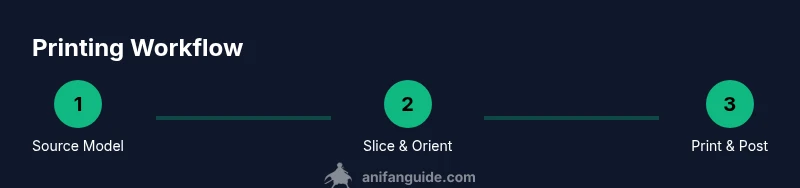
Anime figures capture dynamic poses, sharp lines, and fine textures that are hard to achieve with traditional crafts alone. With a capable 3D printer, you can translate your favorite characters from sketch to solid form, experiment with poses, and iterate quickly. The key is choosing the right workflow and materials, then applying careful finishing to reach the glossy, vibrant look fans expect. According to AniFanGuide, the most reliable results come from a clear plan: start with a printable base model, confirm licensing, and map out the painting and weathering steps before you print. When you treat the project as three linked phases—modeling, printing, and finishing—you can optimize each for detail and durability. This article walks you through a practical, hands-on approach to making anime figures that are ready for display or collection. You’ll learn choices between FDM and resin, how to manage supports, and how to handle post-processing without sacrificing surface quality. Whether you’re building a small diorama or a collector’s statue, a thoughtful workflow makes all the difference.
Modeling approaches: base mesh vs. ready-made STL
Your model choice sets the stage for print quality more than any other setting. If you love total control, start from a base mesh sculpted in Blender or ZBrush. This path lets you adjust proportions, pose, and facial details from scratch, and it scales well for dynamic action poses. However, it requires familiarity with 3D modeling and a clean topology. If you want to get moving quickly, search for a ready-made STL that matches your character and adjust it in your slicer or editing software. Ensure the file is watertight and manifold, and check licensing to avoid copyright issues. AniFanGuide analysis shows that starting from a well-prepared STL or a clean base mesh reduces common print failures and save time during supports and slicing. Whichever route you choose, plan your pose and final size before exporting, so the model prints with the intended silhouette and proportions. Finally, consider the printer's capabilities: small details may need a higher-resolution print or ornamental painting to compensate for layering. A hybrid approach—start from an existing good mesh and refine only the parts that matter—often provides the best balance of speed and customization.
Materials and printer settings
Choosing the right material and printer settings is crucial for capturing anime figure detail. FDM filaments such as PLA and PETG are beginner-friendly and produce sturdy parts, but they may show layer lines on fine features. Resin printers excel at fine details, producing smoother surfaces that suit skin tones and tiny accessories, but require stricter handling and post-curing. For most beginners, start with PLA on a capable FDM printer, moving to resin if you want ultra-fine lines. Key settings to dial in include layer height (0.1–0.2 mm for resin or 0.08–0.2 mm for FDM), wall thickness (around 1.2–2.0 mm, depending on model), and infill (15–25% is often enough for a statue without collapsing). In addition, calibrate nozzle temperature, bed leveling, and print speed to minimize warping. For small parts like fingers or accessories, print in multiple pieces to reduce failure risk and then assemble later. Materials like lightweight epoxy putty can be used to fill gaps after assembly. If you’re painting, plan a base primer layer and fine-tuned sanding between coats to achieve a smooth surface before color work. AniFanGuide analysis suggests starting with PLA at low speed for predictable results.
Preparation: supports, orientation, and slicing tips
Preparation is where you minimize post-print drama. Start by choosing the correct support strategy—breakaway supports for easy cleanup or soluble options for delicate parts like hair strands or fingers. Orient the model to minimize visible supports on critical surfaces, which reduces post-processing work and improves surface quality. In your slicer, enable flattening and retraction settings to avoid stringing, and consider adding edge brims for adhesion on small bases. If you print in multiple pieces, plan the joining surfaces with flat bosses or pegs so assembly is clean. For resin prints, ensure a clean resin tank, stable print platform, and proper exposure settings to avoid cure-related defects. Remember to run a small test print of key sub-assemblies to confirm fit and alignment before committing to a full-scale print. Tips: label each part and use color-coded supports to simplify assembly later.
Post-processing and painting techniques
Post-processing can make or break the final look. After printing, remove supports carefully and trim any excess connection points. For FDM prints, a light sanding with progressively finer papers (600–2000 grit) smooths layer lines. For resin, rinse parts in isopropyl alcohol, cure under proper UV or LED light, then sand and seal with a primer. Apply base coats with thin, even layers to avoid obscuring details, then build up colors with multiple light coats. Use reference images from the character to guide shading and highlights; dry brushing and washes can recreate skin tones and armor textures. Finish with a clear coat to protect paint and enhance durability. If joints are loose, apply a dab of super glue or resin to tighten connections. AniFanGuide notes that patience during painting yields significantly better results than rushing through finishes.
Common pitfalls and troubleshooting
Print failures usually follow predictable patterns: overly aggressive supports cause surface blemishes; insufficient cooling leads to warping; under-extrusion results in gaps and weak walls. Address warping by ensuring a level bed and adequate enclosure for resin prints. If layers separate or curl, check print temperature, ambient humidity, and resin or filament quality. For tiny parts that won’t print cleanly, consider splitting them into two pieces and joining later with careful adhesive work. If facial features look off, reorient the model for better printing angle, then re-slice with adjusted supports. Keeping a log of settings and test results helps refine your workflow over time. Safety is also a major factor: wear a respirator when sanding resin parts and work in a well-ventilated area. AniFanGuide emphasizes developing a repeatable process to minimize surprises.
Legal, ethical, and safety considerations
Fan art can be a meaningful tribute, but it’s important to respect copyright. Avoid selling prints that reproduce licensed characters without permission, and consider making your work clearly fan-made or derivative with appropriate attribution where required. When printing, follow safety guidelines for resin and solvents, provide adequate ventilation, wear protective gear, and store chemicals safely. If you plan to share files online, credit the original creators when applicable and avoid distributing altered or unlicensed models. For education and personal use, 3D printing anime figures can be a fun, constructive hobby that deepens your understanding of anatomy, proportion, and color, while reinforcing responsible maker practices. The AniFanGuide team emphasizes balancing creativity with respect for intellectual property and community standards.
Case studies and inspiration
Many hobbyists begin with a popular character in a dynamic pose, printing a bust or a diorama base first to learn the ropes. Others choose to build a mini-collection of accessories—like weapons, stands, or alternate hands—to increase display value. A common approach is to prototype in PLA to refine pose and scale, then move to resin for final prints to capture fine details such as facial expressions and fabric folds. Case studies show improvement when printers use consistent lighting during photography to assess texture and color. Inspiration often comes from art books, official character references, and community showcases where crafters share their techniques for skin tones, metallics, and weathering. The goal is a display piece that feels faithful to the source while reflecting your personal touch.
Tools & Materials
- 3D printer (FDM or resin)(Choose printer with fine resolution (0.04-0.1 mm for resin; 0.1-0.2 mm for FDM).)
- Filament or resin(PLA or PETG for FDM; standard photopolymer resin for resin printers.)
- Slicing software(Cura, PrusaSlicer, or ChiTuBox; ensure version supports your hardware.)
- Support material(Breakaway supports for FDM; soluble supports for complex prints.)
- Calibration tools(Calipers, feeler gauge, and a square for bed alignment.)
- Post-processing supplies(Sandpaper (400–2000 grit), hobby knife, putty, solvent for smoothing.)
- Primer and paint(Acrylic paints, primer spray, fine brushes; thin coats recommended.)
- Safety gear(Gloves, respirator or mask, eye protection; resin requires good ventilation.)
- Work surface and ventilation(Ventilated area or enclosure for resin printing; keep area clean.)
Steps
Estimated time: 12-24 hours
- 1
Source a base model
Identify a base model that fits your character and printer. Check licensing, ensure file is printable (watertight, manifold), and export as STL.
Tip: Always verify mesh integrity with a repair tool before printing. - 2
Prepare the model for printing
Repair holes, fix non-manifold edges, and slice the model into printable parts if necessary. Plan each piece's fit and alignment.
Tip: Split complex parts to minimize supports and improve finish quality. - 3
Configure slicer settings
Load the model, set layer height, infill, supports, and orientation. Run a small test print for critical sections like hands and hair.
Tip: Use a higher layer height for faster tests and finer heights for final prints. - 4
Print a test piece
Print a subassembly or bust to verify scale and fit. Check joints, alignment, and surface detail before proceeding.
Tip: If the test shows issues, pause and adjust orientation or supports. - 5
Print the final model
Print the main parts in your chosen material. Carefully manage prints to avoid warping and misalignment.
Tip: Use gradual print speeds and stable enclosure to improve quality. - 6
Post-process and assemble
Remove supports, sand seams, and assemble pieces. Fill gaps with putty if needed and let cure.
Tip: Test-fit before final gluing; ensure tight joints for durability. - 7
Prime and paint
Apply primer, then base colors and shading layers. Use thin coats and build color gradually; seal with a clear coat.
Tip: Wet blending and subtle washes create realistic skin tones and textures. - 8
Quality check and display
Inspect the finished statue for blemishes, and store or display with a protective backdrop to prevent yellowing or dust.
Tip: Document your process for future prints and share results with the community.
Frequently Asked Questions
What is the best material for anime figures?
PLA or PETG are beginner-friendly for FDM; resin prints offer finer detail but require careful handling and curing.
PLA or PETG are good for beginners; resin gives finer detail but needs careful handling.
Is resin printing safer for beginners?
Resin requires proper ventilation and protective gear. Start with FDM to learn basics, then graduate to resin for finer work.
Resin needs ventilation and PPE. Start with FDM first, then move to resin for detail.
Do I need supports for anime figures?
Yes—supports are often essential for complex shapes. Use breakaway supports for easy cleanup or soluble supports for delicate areas.
Supports are usually necessary; choose breakaway for easy cleanup or soluble for delicate parts.
Can I paint printed figures at home?
Yes. After priming, use thin coats of acrylics and seal with a clear coat to protect colors and details.
Yes, prime, then thin acrylics, and seal with a clear coat to protect the paint.
How big can I print anime figures with a typical home printer?
Most desktop printers print limited scales; you can print large figures by sectioning parts and assembling later.
You can print larger figures by printing parts separately and assembling them.
Are there copyright concerns when printing anime characters?
Printing for personal use generally falls under fair use in hobby contexts, but selling derivative prints can raise copyright issues.
For personal use, it’s usually fine; selling derivatives can raise copyright issues.
Watch Video
Main Points
- Plan model, print, and paint in sequence
- Choose materials by detail needs
- Mind supports to protect delicate features
- Test prints save time and material
- Respect licensing and community guidelines